Buy iPad Keyboard in India - Premium Typing Experience
-
NEW
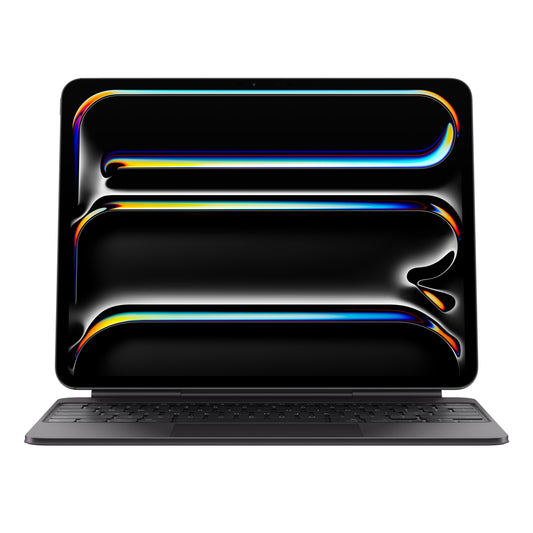
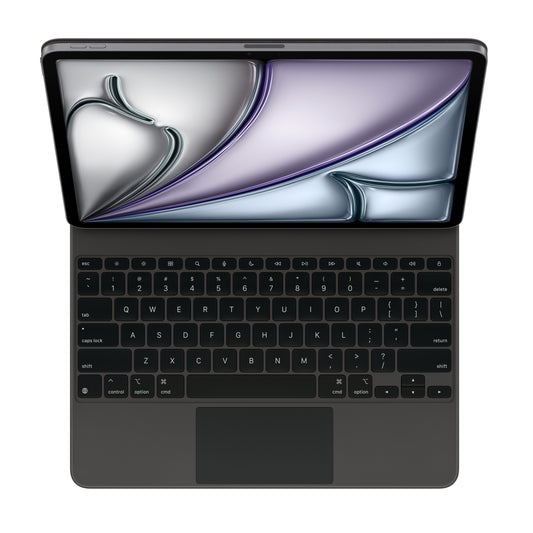
Magic Keyboard for iPad Pro 13‚Äëinch (M4) - US English - Black
₹ 33,900Unit price per₹ 33,900₹ 33,900
-
NEW
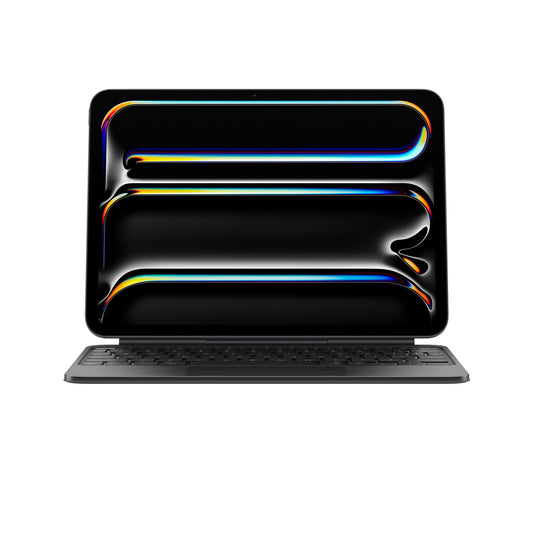
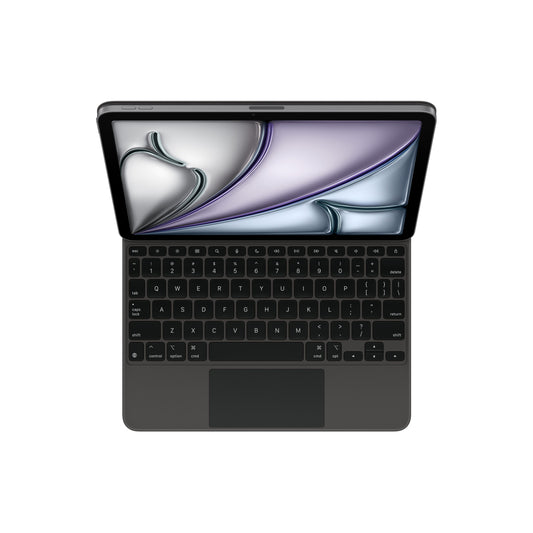
Magic Keyboard for iPad Pro 11‚Äëinch (M4) - US English - Black
₹ 29,900Unit price per₹ 29,900₹ 29,900
-
IN STOCK
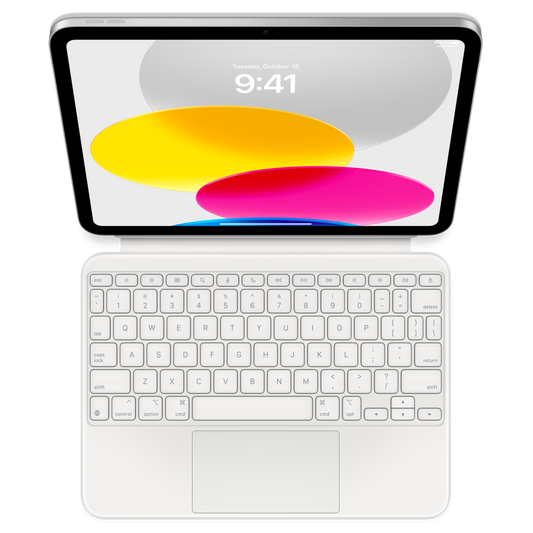
Magic Keyboard Folio for iPad (10th generation) - US English
₹ 24,900Unit price per₹ 24,900₹ 24,900
-
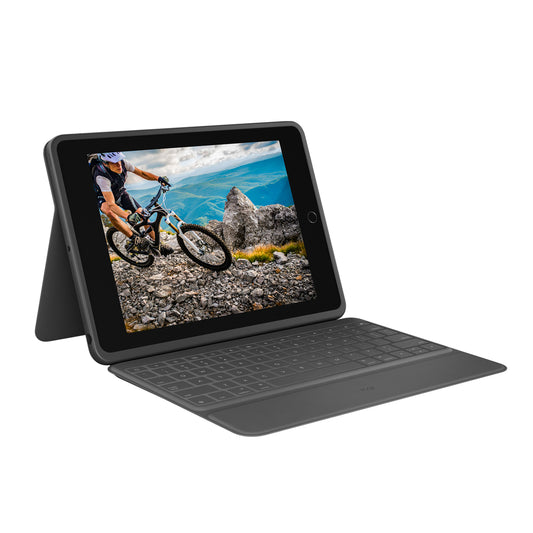
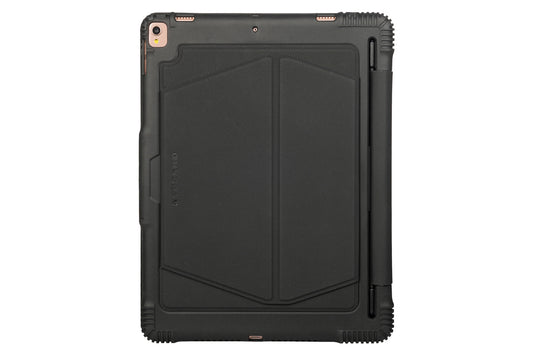
Logitech RUGGED FOLIO - The ultimate Protective keyboard case ...
₹ 13,995Unit price per₹ 13,995
-
Magic Keyboard for iPad Air 11" (M3) - US English - Black
₹ 26,900Unit price per₹ 26,900
-
Magic Keyboard for iPad Air 13" (M3) - US English - Black
₹ 29,900Unit price per₹ 29,900
-
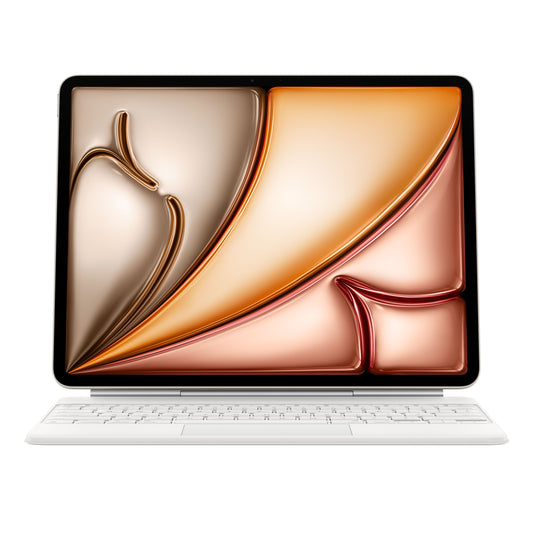
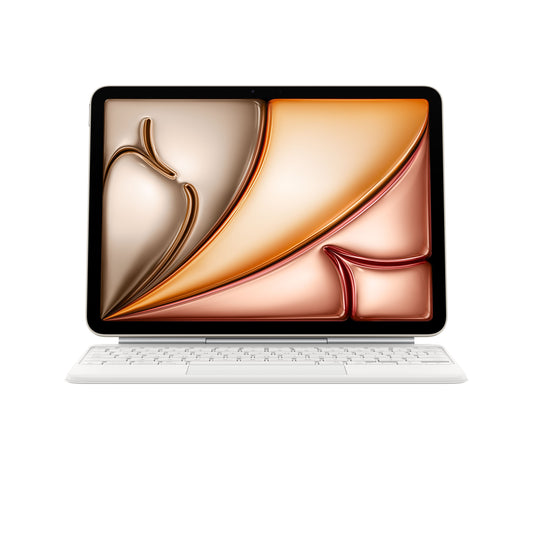
Magic Keyboard for iPad Air 13-inch (M3) - US English - White
₹ 29,900Unit price per₹ 29,900
-
Tucano Tasto- 11 Keyboard Case for iPad Pro-11inch (2020) - Black
₹ 5,999Unit price per₹ 5,999
-
Magic Keyboard for iPad Air 11-inch (M3) - US English - White
₹ 26,900Unit price per₹ 26,900
-
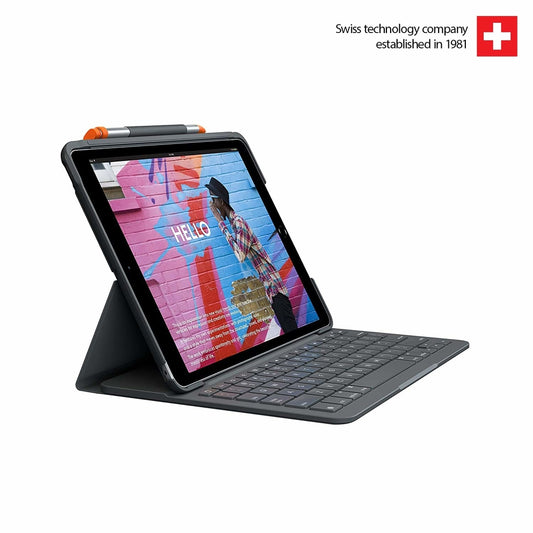
Logitech SLIM FOLIO - Keyboard case with Bluetooth for iPad
₹ 9,495Unit price per₹ 9,495
-
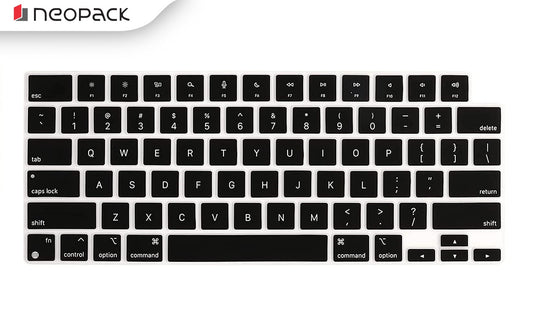
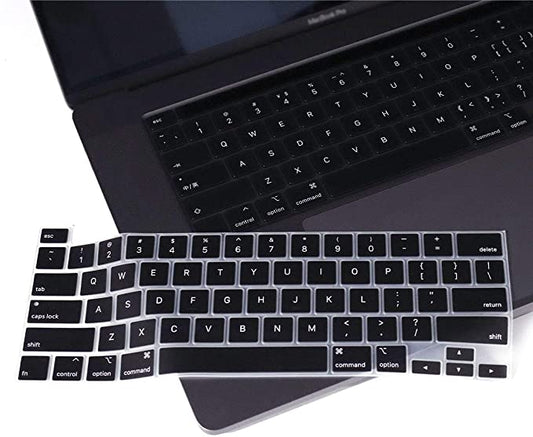
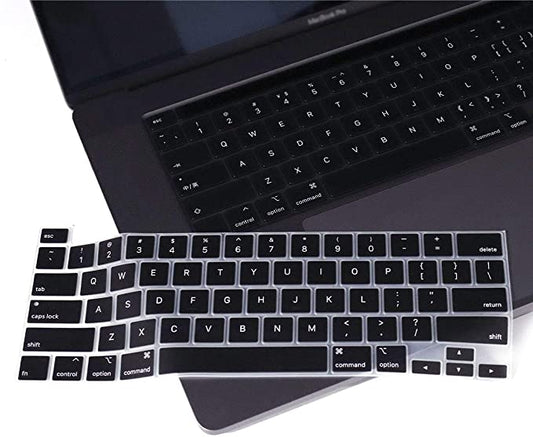
Neopack Silicon Keyboard Guard for MacBook Air 13”, M1 Serie...
₹ 799Unit price per₹ 799
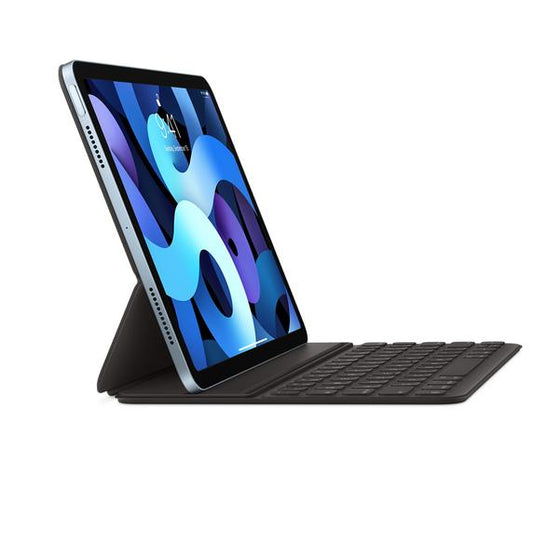
Apple Smart Keyboard Folio for iPad Air (4th generation) and ...
₹ 17,900Unit price per₹ 17,900₹ 17,900
Apple Magic Keyboard for iPad Pro 11-inch (4th generation) and...
₹ 29,900Unit price per₹ 29,900
Neopack Silicon Keyboard Guard for MacBook Pro 14.2" - Magic K...
₹ 799Unit price per₹ 799
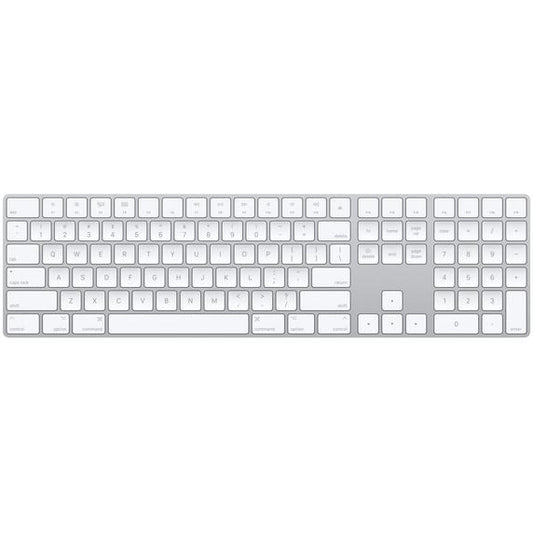
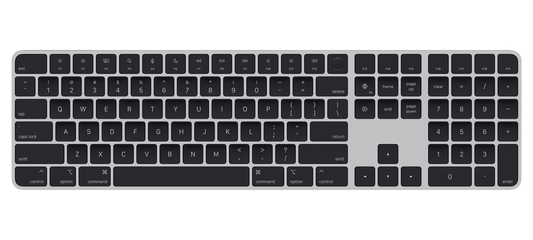
Apple Magic Keyboard with Numeric Keypad
₹ 12,500Unit price per₹ 12,500₹ 12,500
Apple Magic Keyboard for iPad Pro 12.9-inch (6th generation) -...
₹ 33,900Unit price per₹ 33,900₹ 33,900
Magic Keyboard with Touch ID and Numeric Keypad for Mac models...
₹ 19,500Unit price per₹ 19,500₹ 19,500
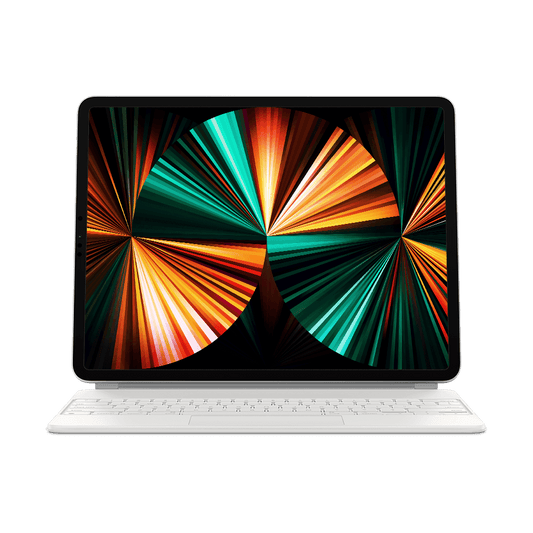
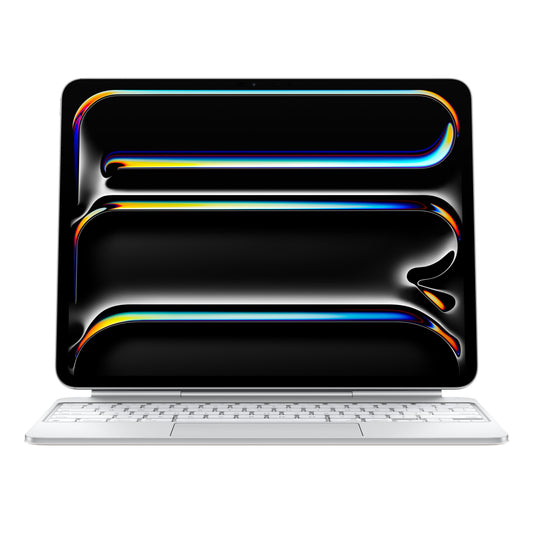
NEWMagic Keyboard for iPad Pro 13‚Äëinch (M4) - US English - White
₹ 33,900Unit price per₹ 33,900₹ 33,900
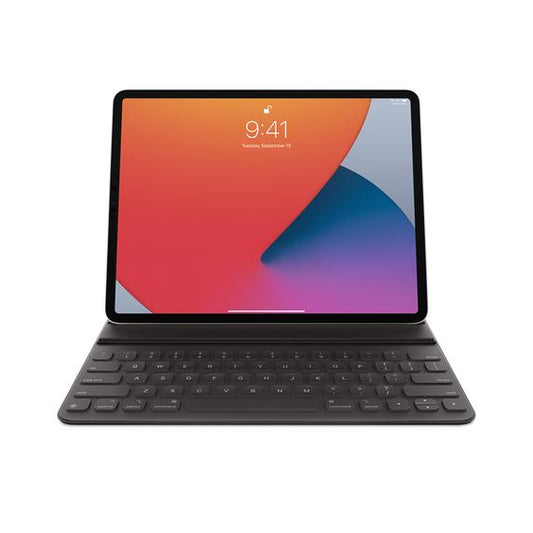
Apple Smart Keyboard Folio for 12.9-inch iPad Pro (4th generat...
₹ 19,900Unit price per₹ 19,900₹ 19,900
Neopack Silicon Keyboard Guard for MacBook Pro 16.2" - Magic K...
₹ 799Unit price per₹ 799
Logitech Combo touch backlit keyboard case with trackpad 12.9_...
₹ 21,995Unit price per₹ 21,995
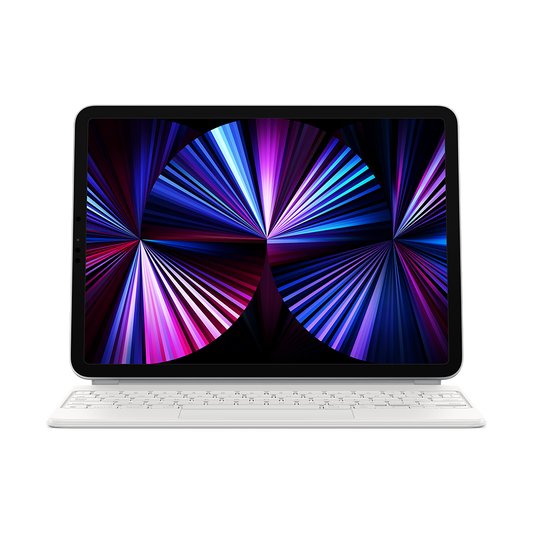
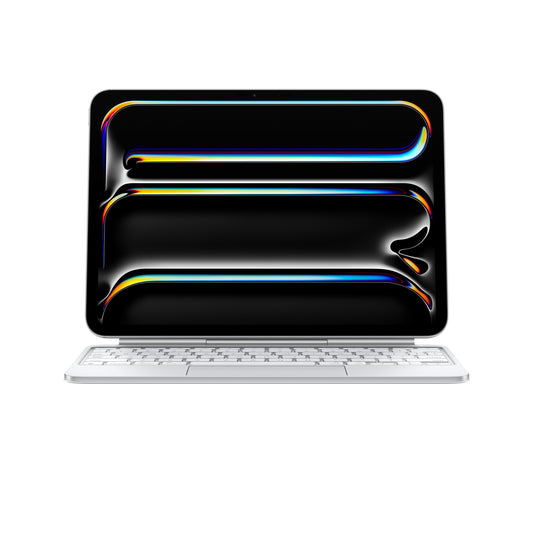
NEWMagic Keyboard for iPad Pro 11‚Äëinch (M4) - US English - White
₹ 29,900Unit price per₹ 29,900₹ 29,900
More Details
What Makes an iPad Keyboard Essential for Productivity?
An iPad keyboard has become an essential productivity companion for users who want to maximise the capabilities of their device, especially when exploring premium accessories at Imagine Store. With options such as the Apple Magic Keyboard for iPad, iPad keyboard case with trackpad, and wireless Bluetooth iPad keyboards, users can convert their iPad into a laptop-like workstation built for efficiency. Whether you are drafting emails, creating business presentations, editing documents, or attending virtual meetings, these premium iPad keyboard covers improve typing speed, accuracy, and overall workflow for professional and academic use.
At Imagine Store, customers can discover a curated selection of backlit keyboards for iPad Pro, iPad Air, and iPad 10th generation, along with magnetic detachable iPad keyboard cases and slim protective keyboard covers designed for multitasking. Advanced features such as integrated trackpads, adjustable viewing angles, iPadOS shortcut keys, and seamless connectivity support smooth navigation and app switching. For students, remote professionals, and creators looking for a portable productivity setup with an iPad keyboard, these accessories deliver the perfect balance of performance, protection, and travel-friendly convenience.
Which iPad Keyboard Is Best for Work and Professional Use?
-
Apple Magic Keyboard iPad Pro & Air
The Apple Magic Keyboard iPad Pro and Magic Keyboard iPad Air deliver a laptop-like typing experience with a floating cantilever design, backlit keys, and an integrated iPad Keyboard With Trackpad. Ideal for professionals who rely on iPad Pro And Keyboard setups for office work, presentations, and multitasking. -
Logitech Combo Touch & Logitech iPad Keyboard Case
The Logitech Combo Touch and Logitech iPad Keyboard Case provide a detachable iPad Cover And Keyboard with precise Logitech Keyboard Trackpad functionality. Perfect for hybrid work, remote offices, and creative tasks. -
Smart Keyboard & Folio Keyboards
The Smart Keyboard, Folio Keyboard, and iPad Folio Keyboard offer lightweight protection with seamless typing, making them perfect for professionals on the go. -
Wireless & Bluetooth Options
A Bluetooth Keyboard For iPad or Wireless Keypad For iPad allows flexible connectivity for multi-device workflows.
How Does an iPad Keyboard Turn Your Tablet Into a Laptop Replacement?
-
Full Typing Productivity
Pairing an iPad And Keyboard or Keypad For iPad allows you to write documents, emails, and reports faster than using the touchscreen. -
Trackpad Precision
Using iPad Keyboard And Trackpad or iPad Keyboard With Touchpad, you can edit spreadsheets, presentations, and design files with accuracy. -
Enhanced Multitasking
With iPad With Keyboard And Pen, apps like Microsoft Office, Google Workspace, and Notion feel more like a laptop. -
Protective Case Integration
Options such as iPad Cover With Keyboard or iPad Case And Keyboard let you work comfortably while keeping your device safe.
What Features Should You Look for When Buying an iPad Keyboard?
- Typing Comfort & Key Travel
Look for iPad Keyboard Case or iPad Folio Case With Keyboard with tactile, responsive keys. - Trackpad Functionality
iPad Keyboard With Trackpad or Logitech Touch Keyboard enables smooth navigation. - Connectivity Options
Choose between Smart Keyboard (Smart Connector) or Bluetooth Keypad For iPad for versatility. - Backlit Keys & Function Row
Premium Apple Magic Keyboard iPad options offer typing in low-light environments. - Protection & Build
iPad Air Case And Keyboard or iPad Mini Keyboard Case safeguard your iPad while maintaining a professional setup.
Which Types of iPad Keyboards Can You Buy at Imagine Store?
- Compatibility (Model Fit): iPad Pro 11-inch (3rd Gen), iPad Air (4th Gen)
- Typing Experience & Key Quality: Backlit scissor-mechanism keys with 1mm travel for quiet, precise typing
- Connectivity Type: Smart Connector (no pairing required)
- Battery Life: Not required - powered via iPad
1. Apple Magic Keyboard for iPad Pro 11" (3rd Gen) & iPad Air (4th Gen)
- Compatibility: iPad 10.9-inch (10th Generation)
- Typing Experience: Detachable keyboard with 14-key function row & trackpad
- Connectivity Type: Smart Connector
- Battery Life: Not required - powered via iPad
2. Magic Keyboard Folio for iPad 10.9" (10th Gen)
- Compatibility: iPad Air (4th Gen), iPad Pro 11-inch (2nd Gen)
- Typing Experience: Full-size fabric-covered keys, comfortable laptop-style typing
- Connectivity Type: Smart Connector
- Battery Life: Not required
3. Smart Keyboard Folio - iPad Air 4th Gen / iPad Pro 11" 2nd Gen
- Compatibility: iPad Pro 12.9-inch (select generations - model specific)
- Typing Experience: Backlit keys + precision trackpad
- Connectivity Type: Smart Connector
- Battery Life: Not required
4. Logitech Combo Touch - iPad Pro 12.9"
- Compatibility: MacBook Air 13-inch (M1)
- Typing Experience: Ultra-thin silicone protection, maintains key tactility
- Connectivity Type: Not applicable (keyboard cover)
- Battery Life: Not applicable
5. Neopack Keyboard Guard - MacBook Air 13" M1
- Compatibility: iPad Pro 12.9-inch (5th Gen)
- Typing Experience: Backlit floating cantilever design with trackpad
- Connectivity Type: Smart Connector
- Battery Life: Not required
- Compatibility: Select iPad models (model specific)
- Typing Experience: Laptop-style keys with dedicated iPadOS shortcuts
- Connectivity Type: Bluetooth LE
- Battery Life: Up to 3-4 years (coin cell battery)
- Compatibility: iPad Air 13-inch (M3)
- Typing Experience: Backlit keys + integrated trackpad
- Connectivity Type: Smart Connector
- Battery Life: Not required
- Compatibility: iPad Pro 11-inch (M4)
- Typing: Backlit keys + glass trackpad
- Connectivity: Smart Connector
- Battery: Not required
- Compatibility: iPad Pro 13-inch (M4)
- Typing: Premium backlit keyboard + trackpad
- Connectivity: Smart Connector
- Battery: Not required
- Compatibility: iPad Air 11-inch (M3)
- Typing: Backlit keys + trackpad
- Connectivity: Smart Connector
- Battery: Not required
- Compatibility: Select iPad models
- Typing: Sealed spill-resistant keys
- Connectivity: Smart Connector
- Battery: Not required
- Compatibility: iPad Air 13-inch (M3)
- Typing: Backlit floating keyboard + trackpad
- Connectivity: Smart Connector
- Battery: Not required
- Compatibility: iPad Air 11-inch (M3)
- Typing: Precision backlit keys + trackpad
- Connectivity: Smart Connector
- Battery: Not required
- Compatibility: iPad Pro 12.9-inch (4th Gen)
- Typing: Full-size fabric keys
- Connectivity: Smart Connector
- Battery: Not required
- Compatibility: iPad Pro 13-inch (M4)
- Typing: Backlit keys + haptic trackpad
- Connectivity: Smart Connector
- Battery: Not required
- Compatibility: iPad Pro 11-inch (2020)
- Typing: Integrated keyboard with protective case
- Connectivity: Bluetooth
- Battery: Rechargeable battery
- Compatibility: iPad Pro 11-inch (M4)
- Typing: Backlit keys + large trackpad
- Connectivity: Smart Connector
- Battery: Not required
6. Magic Keyboard - iPad Pro 12.9" (5th Gen)
7. Logitech Slim Folio Keyboard Case
8. Magic Keyboard - iPad Air 13" (M3)
9. Magic Keyboard - iPad Pro 11" (M4)
10. Magic Keyboard - iPad Pro 13" (M4)
11. Magic Keyboard - iPad Air 11" (M3)
12. Logitech Rugged Folio
13. Magic Keyboard - iPad Air 13" (M3) White
14. Magic Keyboard - iPad Air 11" (M3) White
15. Smart Keyboard Folio - iPad Pro 12.9" (4th Gen)
16. Magic Keyboard - iPad Pro 13" (M4) Black
17. Tucano Tasto Keyboard Case - iPad Pro 11" (2020)
18. Magic Keyboard - iPad Pro 11" (M4) Black
Which iPad Keyboard Offers the Best Typing Experience?
- Magic Keyboard Series
The Apple Magic Keyboard iPad Air and Magic Keyboard iPad Pro deliver scissor-switch keys, precise typing, and stable build quality for long sessions. - Logitech Keyboards
The Logitech iPad Pro Keyboard and Logitech iPad Air Keyboard offer full-size layouts with shortcut keys for professional workflows. - Model-Specific Comfort
Whether it’s iPad Air Keyboard, iPad Mini Keyboard, or iPad 10th Generation Keyboard, you’ll find a model-specific layout designed for comfort and productivity.
What Are the Benefits of a Detachable iPad Keyboard Case?
- Flexible 2-in-1 Design
Detach your iPad Keyboard Case or iPad 10 Gen Keyboard Case for tablet mode when reading or sketching. - Durable Protection
iPad Air Cover With Keyboard, iPad Pro Cover With Keyboard, and iPad Mini Keyboard Case safeguard your iPad against drops and scratches. - Travel-Ready Convenience
Slim Folio iPad and iPad Folio Keyboard cases are lightweight for commuting and campus use. - Adjustable Viewing Angles
Kickstand-enabled iPad Air Keyboard Case or iPad 11 Keyboard Case supports comfortable typing and video calls.
How Does a Trackpad in an iPad Keyboard Enhance Navigation?
- Precision & Accuracy The iPad Keyboard With Trackpad and Logitech Keyboard And Trackpad provide smooth, responsive cursor control for professional and creative workflows.
- Multi-Touch Gestures Swipe between apps, open app switcher, and zoom with Logitech Touch Keyboard or iPad Keyboard With Touchpad.
- Desktop-Like Experience Pairing your iPad And Keyboard transforms iPadOS into a more laptop-like interface for work or study.
Which iPad Keyboard Is Best for Students and Study Use?
- Affordable Wireless Options
Wireless Keyboard For iPad or Bluetooth Keyboard For iPad provide portable, budget-friendly typing for classrooms and study sessions. - Folio & Detachable Cases
iPad 10th Generation Keyboard Case, iPad 10 Gen Keyboard Case, iPad 11 Keyboard Case, and iPad Mini Keyboard Case combine typing functionality with protective design. - Air & Pro Models for Studyl
iPad Air Cover With Keyboard, iPad Air Keyboard Case, and iPad Pro Keyboard Case suit students using apps, note-taking, and collaborative projects.
How Do Bluetooth and Magnetic iPad Keyboards Compare?
- Wireless Bluetooth Convenience
Bluetooth Keyboard For iPad and Wireless Keypad For iPad connect effortlessly to multiple devices without cables. Perfect for casual typing, study, or multi-device setups. - Magnetic Smart Connector Reliability
Magnetic options like Apple Magic Keyboard iPad, Magic Keyboard iPad Air, and Magic Keyboard iPad Pro attach securely and draw power directly from the iPad, ensuring smooth typing without charging. - Typing & Workflow Differences
Bluetooth keyboards are portable and lightweight, while magnetic keyboards, such as iPad Magic Keyboard, offer stable iPad Keyboard With Trackpad performance and professional typing experience. - Trackpad & Functionality Support
Integrated trackpads in magnetic keyboards (iPad Keyboard And Trackpad, Logitech Keyboard And Trackpad) provide precise navigation and gestures. Basic Bluetooth keyboards may not include this feature. - Use Case Flexibility
Bluetooth keyboards work well for multi-device users or travelers. Magnetic keyboards are ideal for professionals and creatives who rely on iPad Pro And Keyboard setups.
Which Slim iPad Keyboard Is Best for Travel and Portability?
- Lightweight Folio & Smart Keyboards
Slim models like Smart Keyboard, Folio Keyboard, iPad Folio Keyboard, and Magic Keyboard Folio combine portability with efficient typing. - Detachable Logitech Options
Logitech Combo Touch, Logitech iPad Keyboard Case, and Logitech iPad Pro Keyboard allow switching between iPad With Keyboard And Pen and tablet mode. - Adjustable Viewing Angles
iPad Air Keyboard Case, iPad Air Cover With Keyboard, and iPad 10th Generation Keyboard Case provide multiple tilt positions for comfortable typing and media use. - Compact & Travel-Friendly
iPad Mini Keyboard Case, iPad 11 Keyboard Case, and Folio iPad are lightweight and easily fit into backpacks or bags.
How Durable Are iPad Keyboard Cases for Daily Protection?
- Full-Body Device Protection
Models like iPad Keyboard Case, iPad Pro Keyboard Case, iPad Air Keyboard Case, and iPad 10 Gen Keyboard Case protect your device from scratches, drops, and daily wear. - Reinforced Keys & Frames
Premium materials in Apple and Logitech keyboards, including Logitech Keyboard Trackpad and Logitech Touch Keyboard, ensure long-lasting durability. - Impact-Resistant Folio Designs
iPad Folio Case With Keyboard, iPad Cover And Keyboard, and iPad Pro Cover With Keyboard provide stable typing on lap or desk while safeguarding your iPad. - Water & Spill Resistance
Some models, including iPad Air Case And Keyboard and iPad Mini Keyboard Case, feature protective coatings against accidental spills. - Long-Term Longevity
Durable iPad 10th Generation Keyboard and iPad 9th Generation Keyboard designs stay functional for years, even with heavy daily use.
What Is the Difference Between Magic Keyboard and Other iPad Keyboards?
- Apple Magic Keyboard Advantages
Apple Magic Keyboard iPad, Magic Keyboard iPad Pro, Magic Keyboard iPad Air, and Magic Keyboard Folio offer a floating design, backlit keys, and an iPad Keyboard With Trackpad for a true laptop-like experience. - Other iPad Keyboards
Smart Keyboard, Folio Keyboard, Bluetooth Keypad For iPad, and Logitech iPad Keyboard Case are portable, travel-friendly, and budget-friendly options, though they may not include a trackpad or adjustable viewing angles. - Use Case Comparison
Magic Keyboard is ideal for professionals, creatives, and heavy multitaskers, while Folio, Smart, and Bluetooth keyboards are better suited for students, travelers, or budget-conscious users. - Device Compatibility
Magic Keyboard models are device-specific (iPad Air Keyboard, iPad Pro Keyboard, iPad 10th Generation Keyboard), whereas Bluetooth keyboards can connect to multiple iPad models.
How Does an iPad Keyboard Improve Multitasking Efficiency?
- Keyboard Shortcuts & Function Keys
With iPad Keyboard And Trackpad, iPad Keyboard With Trackpad, or Logitech Keyboard And Trackpad, app switching, copy-paste, and navigation are faster. - Split View & Stage Manager Support
Paired with iPad With Keyboard And Pen, multitasking becomes effortless, allowing multiple apps to run side by side. - Trackpad Gestures
Integrated gestures reduce touch input, speeding up document editing, spreadsheets, and creative workflows. - Professional Productivity
Supports apps like Microsoft Office, Google Workspace, Notion, Figma, and more, using iPad Pro And Keyboard or Magic Keyboard iPad Pro efficiently.
Which Budget iPad Keyboard Offers the Best Value for Money?
- Affordable Wireless & Bluetooth Options
Bluetooth Keyboard For iPad, Wireless Keypad For iPad, and Keypad For iPad deliver essential typing and portability at low cost. - Reliable Logitech Models
Logitech iPad Keyboard, Logitech iPad Air Keyboard, and Logitech iPad Pro Keyboard balance quality, durability, and affordability. - Essential Features
Even budget options include iPad Keyboard Case, backlit keys, and protective iPad Cover With Keyboard designs. - Wide Compatibility
Supports iPad 9th Generation Keyboard, iPad 10th Generation Keyboard, iPad Mini Keyboard, and iPad 11 Keyboard Case.
How Do You Choose the Right iPad Keyboard for Your iPad Model?
- Check Device Compatibility
Select keyboards based on your device: iPad 10th Generation Keyboard, iPad 10 Gen Keyboard Case, iPad Air Keyboard Case, iPad Pro Keyboard Case, or iPad Mini Keyboard Case. - Magic, Folio, or Bluetooth
Magic Keyboard iPad Air or Magic Keyboard iPad Pro for professionals, Smart Keyboard or Folio Keyboard for portability, Bluetooth Keypad For iPad for multi-device flexibility. - Feature Requirements
Determine if you need iPad Keyboard With Trackpad, iPad Keyboard And Trackpad, or basic Keypad For iPad. - Portability vs Productivity
Slim folio keyboards like Folio iPad and iPad Folio Keyboard suit travel, while Magic Keyboard Folio or Logitech Combo Touch boosts professional workflows. - Budget Considerations
Compare Apple Magic Keyboard iPad Air price, Magic Keyboard Price, and Apple iPad Keyboard Price to select the best value.
Looking to Discover the New iPad Lineup at Imagine Store?
Explore Apple’s latest iPad range at Imagine Store, an Authorized Apple Reseller, featuring powerful performance, stunning displays, and seamless productivity to suit every need.
- iPad - The perfect everyday tablet with a 10.9″ Liquid Retina display, powerful A-series chip, up to 256GB storage, and all-day battery life. Ideal for students, work, and entertainment. Shop iPad at Imagine Store.
- iPad Pro - Apple’s most advanced tablet featuring the M-series chip, 11″ & 13″ Ultra Retina XDR display, ProMotion 120Hz refresh rate, and up to 2TB storage. Built for creators and professionals. Buy iPad Pro from Imagine Store.
- iPad Air - Lightweight yet powerful with the M-series chip, 10.9″ / 13″ Liquid Retina display, up to 1TB storage, and Apple Pencil support. Perfect for productivity and creativity. Get iPad Air at Imagine Store.
- iPad Mini - Compact and powerful with an 8.3″ Liquid Retina display, fast A-series chip, up to 256GB storage, and ultra-portable design. Best for reading, gaming, and travel. Shop iPad Mini at Imagine Store.
Why Buy an iPad Keyboard from an Authorized Apple Reseller like Imagine Store?
- Genuine Products & Warranty - Imagine Store ensures authentic Apple Magic Keyboard iPad, Magic Keyboard iPad Air, Apple iPad Keyboard, and iPad Keyboard Case with official warranty.
- Expert Guidance - Get help on iPad Keyboard Price, compatibility, and accessories like iPad Air Cover With Keyboard, iPad Pro Cover With Keyboard, or iPad Folio Case With Keyboard.
- Safe, Trusted Purchase - All iPad Keyboard And Trackpad and iPad Cover And Keyboard products are genuine, durable, and backed by professional support.
- Wide Model Range - From iPad 10th Generation Keyboard Case to Magic Keyboard iPad Air, Logitech iPad Air Keyboard, and Logitech iPad Pro Keyboard, Imagine Store has options for every workflow.
- Fast Delivery & Support - Enjoy secure, fast shipping and dedicated support for setup and maintenance.
Frequently Asked Questions about iPad Keyboard at Imagine Store
1. Where can I buy an iPad Keyboard in India?
A. You can buy an iPad Keyboard from Imagine Store, an Apple Authorized Reseller offering genuine products, official warranty, fast delivery, and expert guidance.
2. What is the price of an iPad Keyboard in India?
A. iPad Keyboard prices vary by model and features. Imagine Store provides the latest prices, seasonal discounts, and easy EMI options.
3. Which iPads are compatible with the Apple iPad Keyboard Magic Keyboard?
A. The Apple iPad Keyboard Magic Keyboard works with iPad Pro (11-inch and 12.9-inch) and iPad Air (fourth generation and later).
4. Can I connect a Bluetooth iPad Keyboard to my iPad?
A. Yes, you can connect a Bluetooth iPad Keyboard by turning on Bluetooth on your iPad and pairing it. Imagine Store offers compatible Bluetooth iPad Keyboards.
5. Do all iPad Keyboards have backlit keys?
A. No, backlit keys are available on Apple iPad Keyboard Magic Keyboard and select premium third-party iPad Keyboards.
6. What is the difference between a Smart iPad Keyboard and the Magic iPad Keyboard?
A. The Magic iPad Keyboard has a trackpad, backlit keys, and adjustable angles, while the Smart iPad Keyboard is lighter and connects via Smart Connector.
7. How do I switch languages on an iPad Keyboard?
A. Press the globe key on your iPad Keyboard or go to Settings, then General, then Keyboard, and add or switch languages.
8. Can I use keyboard shortcuts with an iPad Keyboard?
A. Yes, you can use keyboard shortcuts with an iPad Keyboard by pressing and holding the Command key in apps like Safari, Notes, and Mail.
9. How long does an iPad Keyboard battery last?
A. Battery life of an iPad Keyboard depends on the model. Magic iPad Keyboard lasts weeks, most Bluetooth iPad Keyboards vary, and Smart iPad Keyboard requires no charging.
10. Why isn’t my iPad recognizing the iPad Keyboard?
A. Check the connection, charge the iPad Keyboard if needed, toggle Bluetooth, or restart the iPad. Imagine Store iPad Keyboards come with support if issues persist.
11. Can I use one iPad Keyboard with multiple devices?
A. Yes, many Bluetooth iPad Keyboards support multi-device pairing. Check compatibility before purchase; Imagine Store stocks iPad Keyboards that allow easy switching.
12. Are iPad Keyboards good for productivity and gaming?
A. Yes, iPad Keyboards enhance typing speed, app navigation, and productivity. Some iPad Keyboards also support casual gaming on iPad.
13. Can I use an iPad Keyboard with an iPad stand to mimic a laptop?
A. Yes, the Magic iPad Keyboard or any Bluetooth iPad Keyboard with a stand can convert your iPad into a mini-laptop for work or study.
14. Do iPad Keyboards support gesture and trackpad functions?
A. Apple Magic iPad Keyboard supports trackpad gestures for scrolling, multitasking, and navigation. Some premium third-party iPad Keyboards offer similar features.
15. Why should I buy an iPad Keyboard from Imagine Store?
A. Imagine Store ensures authentic iPad Keyboards, official warranty, latest prices, EMI options, fast delivery, and a premium Apple shopping experience.
Related Search
iPhone 16 | iPhone 16e | iPhone 16 Ultramarine 128GB | iPhone 16 Ultramarine 256GB | iPhone 16 Ultramarine 512GB | iPhone 16 Teal 128GB | iPhone 16 Teal 256GB | iPhone 16 Teal 512GB | iPhone 16 Pink 128GB | iPhone 16 Pink 256GB | iPhone 16 Pink 512GB | iPhone 16 White 128GB | iPhone 16 White 256GB | iPhone 16 White 512GB | iPhone 16 Black 128GB | iPhone 16 Black 256GB | iPhone 16 Black 512GB | iPhone 16 Plus Ultramarine 128GB | iPhone 16 Plus Ultramarine 256GB | iPhone 16 Plus Ultramarine 512GB | iPhone 16 Plus Teal 128GB | iPhone 16 Plus Teal 256GB | iPhone 16 Plus Teal 512GB | iPhone 16 Plus Pink 128GB | iPhone 16 Plus Pink 256GB | iPhone 16 Plus Pink 512GB | iPhone 16 Plus White 128GB | iPhone 16 Plus White 256GB | iPhone 16 Plus White 512GB | iPhone 16 Plus Black 128GB | iPhone 16 Plus Black 256GB | iPhone 16 Plus Black 512GB | iPhone 16e White 128GB | iPhone 16e White 256GB | iPhone 16e White 512GB | iPhone 16e Black 128GB | iPhone 16e Black 256GB | iPhone 16e Black 512GB
MacBook Air | MacBook Pro | iMac | Mac Mini | Mac Studio | 15-inch MacBook Air M3 Midnight 8GB 512GB | 15-inch MacBook Air M3 Midnight 16GB 512GB | 15-inch MacBook Air M4 Midnight 16GB 256GB | 15-inch MacBook Air M4 Midnight 16GB 512GB | 15-inch MacBook Air M4 Midnight 24GB 512GB | 15-inch MacBook Air M3 Space Grey 8GB 256GB | 15-inch MacBook Air M3 Space Grey 8GB 512GB | 15-inch MacBook Air M3 Space Grey 16GB 512GB | 15-inch MacBook Air M3 Silver 8GB 256GB | 15-inch MacBook Air M3 Silver 8GB 512GB | 15-inch MacBook Air M3 Silver 16GB 512GB | 15-inch MacBook Air M4 Silver 16GB 256GB | 15-inch MacBook Air M4 Silver 16GB 512GB | 15-inch MacBook Air M4 Silver 24GB 512GB | 15-inch MacBook Air M3 Starlight 8GB 256GB | 15-inch MacBook Air M3 Starlight 8GB 512GB | 15-inch MacBook Air M3 Starlight 16GB 512GB | 15-inch MacBook Air M4 Starlight 16GB 256GB | 15-inch MacBook Air M4 Starlight 16GB 512GB | 15-inch MacBook Air M4 Starlight 24GB 512GB | 13-inch MacBook Air M3 Midnight 8GB 256GB | 13-inch MacBook Air M3 Midnight 8GB 512GB | 13-inch MacBook Air M3 Midnight 16GB 512GB | 13-inch MacBook Air M4 Midnight 16GB 256GB | 13-inch MacBook Air M4 Midnight 16GB 512GB | 13-inch MacBook Air M4 Midnight 24GB 512GB | 13-inch MacBook Air M3 Space Grey 8GB 256GB | 13-inch MacBook Air M3 Space Grey 8GB 512GB | 13-inch MacBook Air M3 Space Grey 16GB 512GB | 13-inch MacBook Air M3 Silver 8GB 256GB | 13-inch MacBook Air M3 Silver 8GB 512GB | 13-inch MacBook Air M3 Silver 16GB 512GB | 13-inch MacBook Air M4 Silver 16GB 256GB | 13-inch MacBook Air M4 Silver 16GB 512GB | 13-inch MacBook Air M4 Silver 24GB 512GB | 13-inch MacBook Air M3 Starlight 8GB 256GB | 13-inch MacBook Air M3 Starlight 8GB 512GB | 13-inch MacBook Air M3 Starlight 16GB 512GB | 13-inch MacBook Air M4 Starlight 16GB 256GB | 13-inch MacBook Air M4 Starlight 16GB 512GB | 13-inch MacBook Air M4 Starlight 24GB 512GB | 16-inch MacBook Pro M4 Max Silver 36GB 1TB | 16-inch MacBook Pro M4 Max Silver 48GB 1TB | 16-inch MacBook Pro M4 Max Space Black 36GB 1TB | 16-inch MacBook Pro M4 Max Space Black 48GB 1TB | 16-inch MacBook Pro M4 Pro Silver 24GB 512GB | 16-inch MacBook Pro M4 Pro Silver 48GB 512GB | 16-inch MacBook Pro M4 Pro Space Black 24GB 512GB | 16-inch MacBook Pro M4 Pro Space Black 48GB 512GB | 14-inch MacBook Pro M4 Max Silver 36GB 1TB | 14-inch MacBook Pro M4 Max Space Black 36GB 1TB | 14-inch MacBook Pro M4 Pro Silver 24GB 512GB | 14-inch MacBook Pro M4 Pro Silver 24GB 1TB | 14-inch MacBook Pro M4 Pro Space Black 24GB 512GB | 14-inch MacBook Pro M4 Pro Space Black 24GB 1TB | 14-inch MacBook Pro M4 Silver 16GB 512GB | 14-inch MacBook Pro M4 Silver 16GB 1TB | 14-inch MacBook Pro M4 Silver 24GB 1TB | 14-inch MacBook Pro M4 Space Black 16GB 512GB | 14-inch MacBook Pro M4 Space Black 16GB 1TB | 14-inch MacBook Pro M4 Space Black 24GB 1TB | 16-inch MacBook Pro M3 Max Silver 36GB 1TB | 16-inch MacBook Pro M3 Max Silver 48GB 1TB | 16-inch MacBook Pro M3 Max Space Black 36GB 1TB | 16-inch MacBook Pro M3 Max Space Black 48GB 1TB | 16-inch MacBook Pro M3 Pro Silver 18GB 512GB | 16-inch MacBook Pro M3 Pro Silver 36GB 512GB | 16-inch MacBook Pro M3 Pro Space Black 18GB 512TB | 16-inch MacBook Pro M3 Pro Space Black 36GB 512TB | 14-inch MacBook Pro M3 Max Silver 36GB 1TB | 14-inch MacBook Pro M3 Max Space Black 36GB 1TB | 14-inch MacBook Pro M3 Pro Silver 18GB 512GB | 14-inch MacBook Pro M3 Pro Silver 18GB 1TB | 14-inch MacBook Pro M3 Pro Space Black 18GB 512GB | 14-inch MacBook Pro M3 Pro Space Black 18GB 1TB | 14-inch MacBook Pro M3 Space Grey 8GB 512GB | 14-inch MacBook Pro M3 Space Grey 8GB 1TB | 14-inch MacBook Pro M3 Space Grey 16GB 1TB | 14-inch MacBook Pro M3 Silver 8GB 512GB | 14-inch MacBook Pro M3 Silver 8GB 1TB | 14-inch MacBook Pro M3 Silver 16GB 1TB | 24-inch iMac M4 Blue 16GB 256GB | 24-inch iMac M4 Blue 16GB 512GB | 24-inch iMac M4 Blue 24GB 512GB | 24-inch iMac M4 Green 16GB 256GB | 24-inch iMac M4 Green 16GB 512GB | 24-inch iMac M4 Green 24GB 512GB | 24-inch iMac M4 Orange 16GB 256GB | 24-inch iMac M4 Orange 16GB 512GB | 24-inch iMac M4 Orange 24GB 512GB | 24-inch iMac M4 Pink 16GB 256GB | 24-inch iMac M4 Pink 16GB 512GB | 24-inch iMac M4 Pink 24GB 512GB | 24-inch iMac M4 Purple 16GB 256GB | 24-inch iMac M4 Purple 16GB 512GB | 24-inch iMac M4 Purple 24GB 512GB | 24-inch iMac M4 Silver 16GB 256GB | 24-inch iMac M4 Silver 16GB 512GB | 24-inch iMac M4 Silver 24GB 512GB | 24-inch iMac M4 Yellow 16GB 256GB | 24-inch iMac M4 Yellow 16GB 512GB | 24-inch iMac M4 Yellow 24GB 512GB | 24-inch iMac M4 Silver 16GB 256GB Nano-texture glass | 24-inch iMac M3 Blue 8GB 256GB | 24-inch iMac M3 Blue 8GB 512GB | 24-inch iMac M3 Green 8GB 256GB | 24-inch iMac M3 Green 8GB 512GB | 24-inch iMac M3 Pink 8GB 256GB | 24-inch iMac M3 Pink 8GB 512GB | 24-inch iMac M3 Silver 8GB 256GB | 24-inch iMac M3 Silver 8GB 512GB | 24-inch iMac M3 Yellow 8GB 256GB | 24-inch iMac M3 Yellow 8GB 512GB | 24-inch iMac M3 Orange 8GB 256GB | 24-inch iMac M3 Orange 8GB 512GB | 24-inch iMac M3 Purple 8GB 256GB | 24-inch iMac M3 Purple 8GB 512GB | Mac mini M4 Pro Silver 24GB 512GB | Mac mini M4 Silver 16GB 256GB | Mac mini M4 Silver 16GB 512GB | Mac mini M4 Silver 24GB 512GB | Mac Studio M3 Silver 96GB 1TB | Mac Studio M4 Silver 36GB 512GB
iPhone 15 | iPhone 15 Blue 128GB | iPhone 15 Blue 256GB | iPhone 15 Blue 512GB | iPhone 15 Pink 128GB | iPhone 15 Pink 256GB | iPhone 15 Pink 512GB | | iPhone 15 Yellow 256GB | iPhone 15 Yellow 512GB | iPhone 15 Green 128GB | iPhone 15 Green 256GB | iPhone 15 Green 512GB | iPhone 15 Black 128GB | iPhone 15 Black 256GB | iPhone 15 Black 512GB |- Choosing a selection results in a full page refresh.
- Opens in a new window.
Video Consult ×