


Mac Studio M2 Max & M2 Ultra | Pro Workstation
Mac Studio
From ₹ 629,900
Mac Studio
From ₹ 279,900
More Details
Mac Studio - Pro Desktop Power for Creators and Developers
The Mac Studio is Apple's compact pro desktop, delivering workstation-class power in an enclosure that sits right on your desk. The 2026 Apple Mac Studio line-up spans three tiers: the entry M5 Max, the flagship M5 Ultra, and the previous-generation M3 Ultra that remains on sale. It is built for professionals who need far more performance than a Mac mini.
What Is the Mac Studio?
The Mac Studio is a high-performance desktop that pairs the most powerful Apple silicon with extensive memory, storage and connectivity, all in a small aluminium body. It is a compact Mac Studio workstation that connects to your own display, keyboard and mouse, and is designed for creative and technical professionals such as video editors, 3D artists, developers and AI researchers.
The new Mac Studio range gives you a clear choice: the M5 Max as the entry pro option, the M5 Ultra as the most powerful, and the M3 Ultra as a previous-generation alternative.
What's New in the 2026 Mac Studio?
The latest Mac Studio keeps its compact design but moves to Apple's newest pro chips. The M5 Max is the entry chip with an 18-core CPU, while the all-new M5 Ultra scales to a 30-core CPU and 64-core GPU with up to 512GB of unified memory and 1.2TB/s of memory bandwidth. Both add Neural Accelerators in every GPU core for faster on-device AI, faster storage, Wi-Fi 7, Bluetooth 6 and Thunderbolt 5. The previous-generation M3 Ultra remains available for buyers who want Ultra-class power at a different point.
Mac Studio Line-up at a Glance
| Model | Chip | CPU | GPU | Memory | Storage | Best for |
|---|---|---|---|---|---|---|
| Mac Studio M5 Max | M5 Max | 18-core | 32-core | From 36GB | From 512GB | Entry pro workstation |
| Mac Studio M3 Ultra | M3 Ultra | 28-core | 60-core | From 96GB | From 1TB | Previous-generation Ultra |
| Mac Studio M5 Ultra | M5 Ultra | 30-core | 64-core | From 96GB | From 1TB | The most powerful Mac Studio |
Mac Studio M5 Max
The Mac Studio M5 Max is the entry into the Studio line and the most affordable Mac Studio. It uses the M5 Max chip with an 18-core CPU and 32-core GPU (configurable to 40-core), memory from 36GB up to 128GB and a 512GB SSD as standard. It is well suited to video editing, 3D, development and photography for professionals stepping up from a Mac mini.
Mac Studio M5 Ultra
The Mac Studio M5 Ultra is the most powerful Mac Studio. It packs the M5 Ultra chip with a 30-core CPU, a 64-core GPU (configurable to 36 and 80 cores), 1.2TB/s memory bandwidth and up to 512GB of unified memory. It is built for the heaviest workloads, including 8K editing, large 3D and VFX renders, and running large AI models entirely on device.
Mac Studio M3 Ultra
The Mac Studio M3 Ultra is the previous-generation Ultra, still available for professionals who want Ultra-class power. It has the M3 Ultra chip with a 28-core CPU and 60-core GPU, 96GB of memory and a 1TB SSD, and remains a capable workstation for high-resolution video, 3D and large datasets.
What Is the Difference Between the Mac mini and Mac Studio?
When weighing the Mac mini vs Mac Studio, the Mac mini is the compact everyday desktop, while the Mac Studio is a workstation built for sustained professional workloads with far more cores, memory, storage and ports. If your work involves heavy video, 3D or AI, the Mac Studio vs Mac mini decision usually points to the Studio. You can compare all Mac models to see where each fits.
Is the Mac Studio a Good Workstation for Video Editing?
Yes. The Mac Studio workstation is designed for demanding creative work, and it is well suited to video editing, colour grading, 3D rendering, music production and AI. The M5 Max handles professional projects, while the M5 Ultra takes on the heaviest 8K and large-model workloads. For Mac Studio for video editing, the choice of chip depends on how demanding your projects are.
What Are the Key Features of the Mac Studio?
Across the range, the Mac Studio offers:
- Pro Apple silicon, from the M5 Max to the flagship M5 Ultra, plus the previous-generation M3 Ultra.
- Large unified memory and fast SSD storage, starting at 512GB and scaling far higher.
- Thunderbolt 5 ports, HDMI, 10Gb Ethernet, USB-A and an SDXC card slot.
- Support for multiple external displays.
- A compact aluminium design in Silver.
- macOS with Apple Intelligence and Siri.
How Is the Mac Studio Designed?
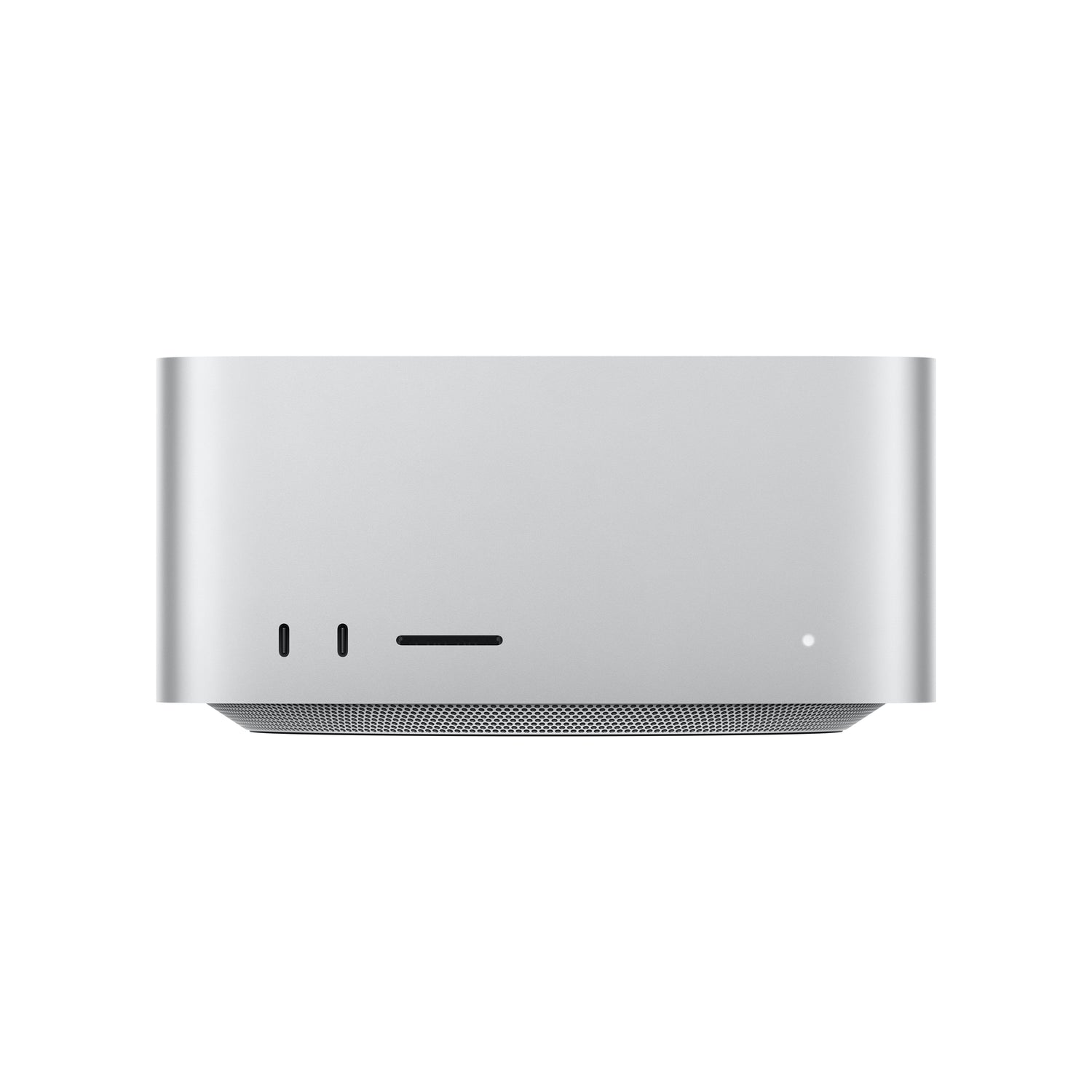
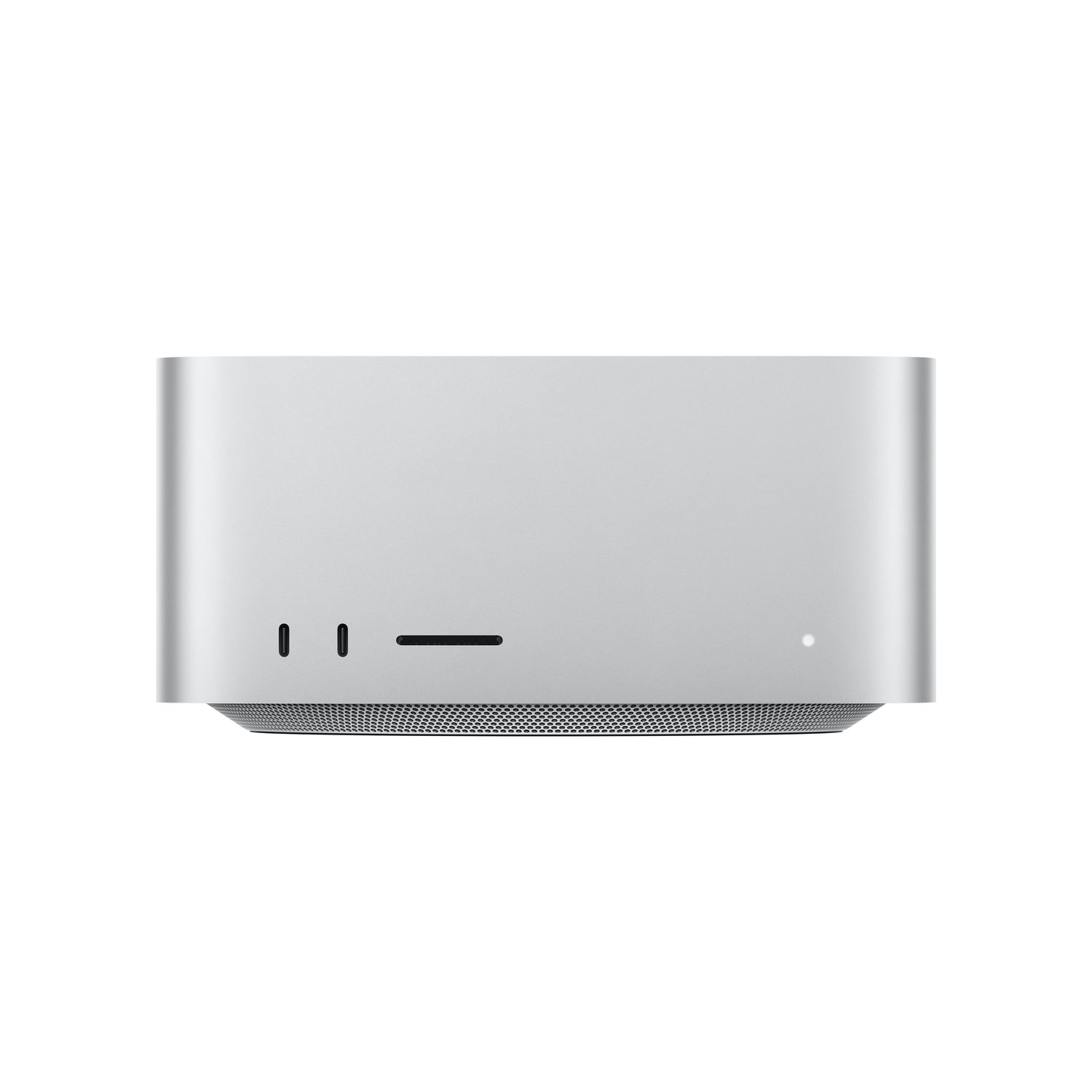
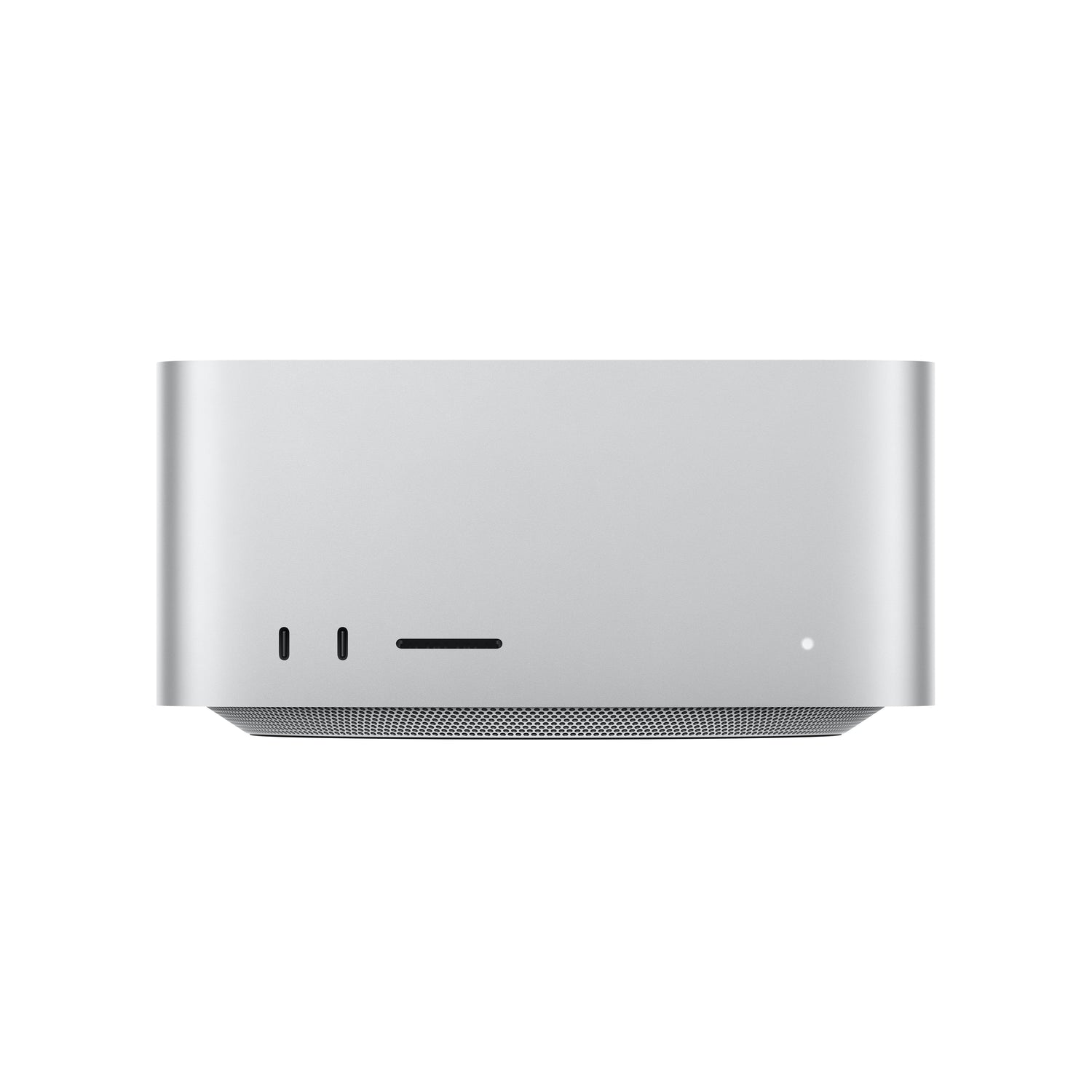
Every Mac Studio shares the same compact aluminium enclosure, measuring 3.7 inches tall and 7.7 inches wide and deep, designed to fit under most displays. Ports sit on both the front and back, and the range comes in a Silver finish.
What Ports and Connectivity Does the Mac Studio Have?
The Mac Studio has four Thunderbolt 5 ports, two USB-A ports, HDMI 2.1, 10Gb Ethernet and a headphone jack on the back, with two front ports and an SDXC card slot. The M5 Max has two USB-C ports on the front, while the M5 Ultra has two front Thunderbolt 5 ports. The new models add Wi-Fi 7 and Bluetooth 6.
What Storage Does the Mac Studio Have?
Storage starts at 512GB on the M5 Max and 1TB on the Ultra models, and scales up to 16TB. If you work with large media libraries, the Mac Studio 512GB starting point can be configured much higher to suit professional projects.
Mac Studio vs Mac Pro vs Mac mini
Choose the Mac Studio when you need workstation power in a compact desktop that stays on your desk. The Mac mini is the smaller, everyday option, while the Mac Pro is the larger, expandable tower for those who need internal expansion. For most professionals, the Mac Studio hits the balance of power and size. You can compare all Mac models to decide.
What Comes in the Mac Studio Box?
The Mac Studio box includes the Mac Studio and a power cord.
A display, keyboard and mouse are not included, so you can pair it with the setup you prefer.
What Is the Price of the Mac Studio in India?
Pricing depends on the chip and configuration. For the current Mac Studio price in India and the Apple Mac Studio price across configurations, please refer to the individual product listings. Imagine Online covers Mac Studio India availability with EMI, exchange and cashback offers where applicable, and you can buy Mac Studio online with delivery or store pickup.
Is AppleCare+ Available for the Mac Studio?
Yes. Mac Studio AppleCare+ can be added to eligible purchases through Imagine Online for extended service and support. You can learn more about AppleCare+ for Mac before you buy.
Are There Student Offers on the Mac Studio?
Students and teachers can check the student and teacher offers available on Mac.
What Accessories Work with the Mac Studio?
The Mac Studio pairs with professional displays, a keyboard, mouse or trackpad, plus docks, hubs and high-speed external drives. Browse Mac accessories to complete your setup.
Why Buy the Mac Studio from Imagine Online?
Imagine Online is an Apple Premium Partner with Apple-trained product experts and authorised service support. Every Mac Studio comes with Apple's One-Year Limited Warranty for labour and parts. You can buy Mac Studio online with EMI, delivery and store pickup, and you can find an Imagine store near you for in-store help.
To see the wider range, view all Mac models, or shop the full Apple line-up at Imagine Online.
Frequently Asked Questions About the Mac Studio
-
Which Mac Studio should I buy?
A. Choose the Mac Studio M5 Max as the entry pro workstation, the Mac Studio M5 Ultra for the most power, and the Mac Studio M3 Ultra if you want the previous-generation Ultra. -
What is the difference between the Mac mini and Mac Studio?
A. The Mac mini is a compact everyday desktop, while the Mac Studio is a workstation with far more cores, memory, storage and ports for demanding professional work. -
Is the Mac Studio good for video editing?
A. Yes. It is built as a pro workstation for video editing, 3D, music production and AI, with the M5 Ultra handling the heaviest 8K and large-model workloads. -
What is the difference between the M5 Max and M5 Ultra?
A. The M5 Max is the entry pro chip with an 18-core CPU and 32-core GPU, while the M5 Ultra scales to a 30-core CPU and 64-core GPU with higher bandwidth and much more memory capacity. -
How much storage does the Mac Studio have?
A. Storage starts at 512GB on the M5 Max and 1TB on the Ultra models, and can be configured up to 16TB. -
How many displays can the Mac Studio support?
A. The Mac Studio supports multiple external displays, with the M5 Ultra driving up to eight displays over Thunderbolt and HDMI. -
What colour is the Mac Studio available in?
A. The Mac Studio range comes in a Silver finish. -
Is AppleCare+ available for the Mac Studio?
A. Yes. Mac Studio AppleCare+ can be added to eligible purchases through Imagine Online, subject to terms and availability. -
Can I buy the Mac Studio online in India?
A. Yes. The Mac Studio range is available to buy online at Imagine Online, with EMI, delivery and store pickup options.
Related Search
iPhone 16 | iPhone 16e | iPhone 16 Ultramarine 128GB | iPhone 16 Ultramarine 256GB | iPhone 16 Ultramarine 512GB | iPhone 16 Teal 128GB | iPhone 16 Teal 256GB | iPhone 16 Teal 512GB | iPhone 16 Pink 128GB | iPhone 16 Pink 256GB | iPhone 16 Pink 512GB | iPhone 16 White 128GB | iPhone 16 White 256GB | iPhone 16 White 512GB | iPhone 16 Black 128GB | iPhone 16 Black 256GB | iPhone 16 Black 512GB | iPhone 16 Plus Ultramarine 128GB | iPhone 16 Plus Ultramarine 256GB | iPhone 16 Plus Ultramarine 512GB | iPhone 16 Plus Teal 128GB | iPhone 16 Plus Teal 256GB | iPhone 16 Plus Teal 512GB | iPhone 16 Plus Pink 128GB | iPhone 16 Plus Pink 256GB | iPhone 16 Plus Pink 512GB | iPhone 16 Plus White 128GB | iPhone 16 Plus White 256GB | iPhone 16 Plus White 512GB | iPhone 16 Plus Black 128GB | iPhone 16 Plus Black 256GB | iPhone 16 Plus Black 512GB | iPhone 16e White 128GB | iPhone 16e White 256GB | iPhone 16e White 512GB | iPhone 16e Black 128GB | iPhone 16e Black 256GB | iPhone 16e Black 512GB MacBook Air | MacBook Pro | iMac | Mac Mini | Mac Studio | 15-inch MacBook Air M3 Midnight 8GB 512GB | 15-inch MacBook Air M3 Midnight 16GB 512GB | 15-inch MacBook Air M4 Midnight 16GB 256GB | 15-inch MacBook Air M4 Midnight 16GB 512GB | 15-inch MacBook Air M4 Midnight 24GB 512GB | 15-inch MacBook Air M3 Space Grey 8GB 256GB | 15-inch MacBook Air M3 Space Grey 8GB 512GB | 15-inch MacBook Air M3 Space Grey 16GB 512GB | 15-inch MacBook Air M3 Silver 8GB 256GB | 15-inch MacBook Air M3 Silver 8GB 512GB | 15-inch MacBook Air M3 Silver 16GB 512GB | 15-inch MacBook Air M4 Silver 16GB 256GB | 15-inch MacBook Air M4 Silver 16GB 512GB | 15-inch MacBook Air M4 Silver 24GB 512GB | 15-inch MacBook Air M3 Starlight 8GB 256GB | 15-inch MacBook Air M3 Starlight 8GB 512GB | 15-inch MacBook Air M3 Starlight 16GB 512GB | 15-inch MacBook Air M4 Starlight 16GB 256GB | 15-inch MacBook Air M4 Starlight 16GB 512GB | 15-inch MacBook Air M4 Starlight 24GB 512GB | 13-inch MacBook Air M3 Midnight 8GB 256GB | 13-inch MacBook Air M3 Midnight 8GB 512GB | 13-inch MacBook Air M3 Midnight 16GB 512GB | 13-inch MacBook Air M4 Midnight 16GB 256GB | 13-inch MacBook Air M4 Midnight 16GB 512GB | 13-inch MacBook Air M4 Midnight 24GB 512GB | 13-inch MacBook Air M3 Space Grey 8GB 256GB | 13-inch MacBook Air M3 Space Grey 8GB 512GB | 13-inch MacBook Air M3 Space Grey 16GB 512GB | 13-inch MacBook Air M3 Silver 8GB 256GB | 13-inch MacBook Air M3 Silver 8GB 512GB | 13-inch MacBook Air M3 Silver 16GB 512GB | 13-inch MacBook Air M4 Silver 16GB 256GB | 13-inch MacBook Air M4 Silver 16GB 512GB | 13-inch MacBook Air M4 Silver 24GB 512GB | 13-inch MacBook Air M3 Starlight 8GB 256GB | 13-inch MacBook Air M3 Starlight 8GB 512GB | 13-inch MacBook Air M3 Starlight 16GB 512GB | 13-inch MacBook Air M4 Starlight 16GB 256GB | 13-inch MacBook Air M4 Starlight 16GB 512GB | 13-inch MacBook Air M4 Starlight 24GB 512GB | 16-inch MacBook Pro M4 Max Silver 36GB 1TB | 16-inch MacBook Pro M4 Max Silver 48GB 1TB | 16-inch MacBook Pro M4 Max Space Black 36GB 1TB | 16-inch MacBook Pro M4 Max Space Black 48GB 1TB | 16-inch MacBook Pro M4 Pro Silver 24GB 512GB | 16-inch MacBook Pro M4 Pro Silver 48GB 512GB | 16-inch MacBook Pro M4 Pro Space Black 24GB 512GB | 16-inch MacBook Pro M4 Pro Space Black 48GB 512GB | 14-inch MacBook Pro M4 Max Silver 36GB 1TB | 14-inch MacBook Pro M4 Max Space Black 36GB 1TB | 14-inch MacBook Pro M4 Pro Silver 24GB 512GB | 14-inch MacBook Pro M4 Pro Silver 24GB 1TB | 14-inch MacBook Pro M4 Pro Space Black 24GB 512GB | 14-inch MacBook Pro M4 Pro Space Black 24GB 1TB | 14-inch MacBook Pro M4 Silver 16GB 512GB | 14-inch MacBook Pro M4 Silver 16GB 1TB | 14-inch MacBook Pro M4 Silver 24GB 1TB | 14-inch MacBook Pro M4 Space Black 16GB 512GB | 14-inch MacBook Pro M4 Space Black 16GB 1TB | 14-inch MacBook Pro M4 Space Black 24GB 1TB | 16-inch MacBook Pro M3 Max Silver 36GB 1TB | 16-inch MacBook Pro M3 Max Silver 48GB 1TB | 16-inch MacBook Pro M3 Max Space Black 36GB 1TB | 16-inch MacBook Pro M3 Max Space Black 48GB 1TB | 16-inch MacBook Pro M3 Pro Silver 18GB 512GB | 16-inch MacBook Pro M3 Pro Silver 36GB 512GB | 16-inch MacBook Pro M3 Pro Space Black 18GB 512TB | 16-inch MacBook Pro M3 Pro Space Black 36GB 512TB | 14-inch MacBook Pro M3 Max Silver 36GB 1TB | 14-inch MacBook Pro M3 Max Space Black 36GB 1TB | 14-inch MacBook Pro M3 Pro Silver 18GB 512GB | 14-inch MacBook Pro M3 Pro Silver 18GB 1TB | 14-inch MacBook Pro M3 Pro Space Black 18GB 512GB | 14-inch MacBook Pro M3 Pro Space Black 18GB 1TB | 14-inch MacBook Pro M3 Space Grey 8GB 512GB | 14-inch MacBook Pro M3 Space Grey 8GB 1TB | 14-inch MacBook Pro M3 Space Grey 16GB 1TB | 14-inch MacBook Pro M3 Silver 8GB 512GB | 14-inch MacBook Pro M3 Silver 8GB 1TB | 14-inch MacBook Pro M3 Silver 16GB 1TB | 24-inch iMac M4 Blue 16GB 256GB | 24-inch iMac M4 Blue 16GB 512GB | 24-inch iMac M4 Blue 24GB 512GB | 24-inch iMac M4 Green 16GB 256GB | 24-inch iMac M4 Green 16GB 512GB | 24-inch iMac M4 Green 24GB 512GB | 24-inch iMac M4 Orange 16GB 256GB | 24-inch iMac M4 Orange 16GB 512GB | 24-inch iMac M4 Orange 24GB 512GB | 24-inch iMac M4 Pink 16GB 256GB | 24-inch iMac M4 Pink 16GB 512GB | 24-inch iMac M4 Pink 24GB 512GB | 24-inch iMac M4 Purple 16GB 256GB | 24-inch iMac M4 Purple 16GB 512GB | 24-inch iMac M4 Purple 24GB 512GB | 24-inch iMac M4 Silver 16GB 256GB | 24-inch iMac M4 Silver 16GB 512GB | 24-inch iMac M4 Silver 24GB 512GB | 24-inch iMac M4 Yellow 16GB 256GB | 24-inch iMac M4 Yellow 16GB 512GB | 24-inch iMac M4 Yellow 24GB 512GB | 24-inch iMac M4 Silver 16GB 256GB Nano-texture glass | 24-inch iMac M3 Blue 8GB 256GB | 24-inch iMac M3 Blue 8GB 512GB | 24-inch iMac M3 Green 8GB 256GB | 24-inch iMac M3 Green 8GB 512GB | 24-inch iMac M3 Pink 8GB 256GB | 24-inch iMac M3 Pink 8GB 512GB | 24-inch iMac M3 Silver 8GB 256GB | 24-inch iMac M3 Silver 8GB 512GB | 24-inch iMac M3 Yellow 8GB 256GB | 24-inch iMac M3 Yellow 8GB 512GB | 24-inch iMac M3 Orange 8GB 256GB | 24-inch iMac M3 Orange 8GB 512GB | 24-inch iMac M3 Purple 8GB 256GB | 24-inch iMac M3 Purple 8GB 512GB | Mac mini M4 Pro Silver 24GB 512GB | Mac mini M4 Silver 16GB 256GB | Mac mini M4 Silver 16GB 512GB | Mac mini M4 Silver 24GB 512GB | Mac Studio M3 Silver 96GB 1TB | Mac Studio M4 Silver 36GB 512GB
iPhone 15 | iPhone 15 Blue 128GB | iPhone 15 Blue 256GB | iPhone 15 Blue 512GB | iPhone 15 Pink 128GB | iPhone 15 Pink 256GB | iPhone 15 Pink 512GB | | iPhone 15 Yellow 256GB | iPhone 15 Yellow 512GB | iPhone 15 Green 128GB | iPhone 15 Green 256GB | iPhone 15 Green 512GB | iPhone 15 Black 128GB | iPhone 15 Black 256GB | iPhone 15 Black 512GB |