


Mac Mini M4 & M4 Pro | Compact Desktop Power
NEW
Mac mini M4
Looks small. Lives large.
From ₹ 59,900
More Details
Mac mini - Compact Apple Desktop for Home and Pro Use
The Mac mini is Apple's compact desktop, packing Apple silicon into a 5 by 5 inch aluminium body that fits on any desk. The 2026 Apple Mac mini line-up spans three chips: the everyday M6, the more powerful M5 Pro, and the value-focused M4. Whichever you choose, you get a quiet, capable Mac desktop, so it comes down to how much performance you need.
What Is the Mac mini?
The Mac mini is a small desktop computer that connects to your own display, keyboard and mouse. It brings full macOS, Apple Intelligence and Siri in a design small enough to sit under a monitor, and it is the most affordable way into a desktop Mac.
The new Mac mini range gives you a clear choice of chip. The M6 suits most people, the M5 Pro is built for demanding professional work, and the M4 remains a strong value pick.
What's New in the 2026 Mac mini?
The latest Mac mini keeps the same compact design but moves to Apple's newest chips. The M6 is the all-new base chip with a 12-core CPU and up to 4x faster AI performance, while the M5 Pro brings serious professional power with Thunderbolt 5. Both new models add faster storage, Wi-Fi 7, Bluetooth 6 and 2.5Gb Ethernet as standard, along with support for multiple external displays.
Mac mini Line-up at a Glance
| Model | Chip | CPU | GPU | Memory | Best for |
|---|---|---|---|---|---|
| Mac mini M4 | M4 | 10-core | 10-core | From 16GB | Value and everyday use |
| Mac mini M6 | M6 | 12-core | 12-core | From 16GB | Everyday all-rounder |
| Mac mini M5 Pro | M5 Pro | 15-core | 16-core | From 24GB | Power users and professionals |
Mac mini M6
Mac mini M6 is the everyday all-rounder and the one most people should look at first. The Apple Mac mini M6 is built around the new M6 chip with a 12-core CPU, a 12-core GPU and a dual 16-core Neural Engine, so it handles browsing, office work, photo editing and light video with ease, and adds much faster AI performance. It comes in memory and storage options from 16GB and 256GB upward, with three Thunderbolt 4 ports, Wi-Fi 7 and Bluetooth 6.
Mac mini M5 Pro
Mac mini M5 Pro is the professional tier. It uses the M5 Pro chip with a 15-core CPU and 16-core GPU (configurable higher), memory up to 64GB, 307GB/s bandwidth and three Thunderbolt 5 ports. It is the pick for video editing, 3D, large code compiles and running AI models on device, without stepping up to a Mac Studio.
Mac mini M4
Apple Mac mini M4 is the previous-generation value option, still a capable everyday desktop. It has the M4 chip with a 10-core CPU and 10-core GPU and starts at 16GB of memory, making it a smart choice for home, study and office use when you want a Mac desktop at the most accessible entry point.
What Is the M6 Chip in the Mac mini?
The Apple Mac mini M6 chip is a 12-core CPU with a 12-core GPU and a dual 16-core Neural Engine, delivering fast everyday performance and much quicker AI tasks than earlier models. If you want the newest chip for general use, the M6 chip is the one to pick, while the M5 Pro is the choice for sustained professional workloads.
What Are the Key Features of the Mac mini?
Across the range, the Mac mini offers:
- Apple silicon, from the value M4 to the M6 and the professional M5 Pro.
- A compact 5 by 5 inch aluminium design in Silver.
- Thunderbolt and HDMI ports, plus 2.5Gb Ethernet on the new models.
- Wi-Fi and Bluetooth, with Wi-Fi 7 and Bluetooth 6 on the M6 and M5 Pro.
- Support for multiple external displays.
- macOS with Apple Intelligence and Siri.
How Is the Mac mini Designed?
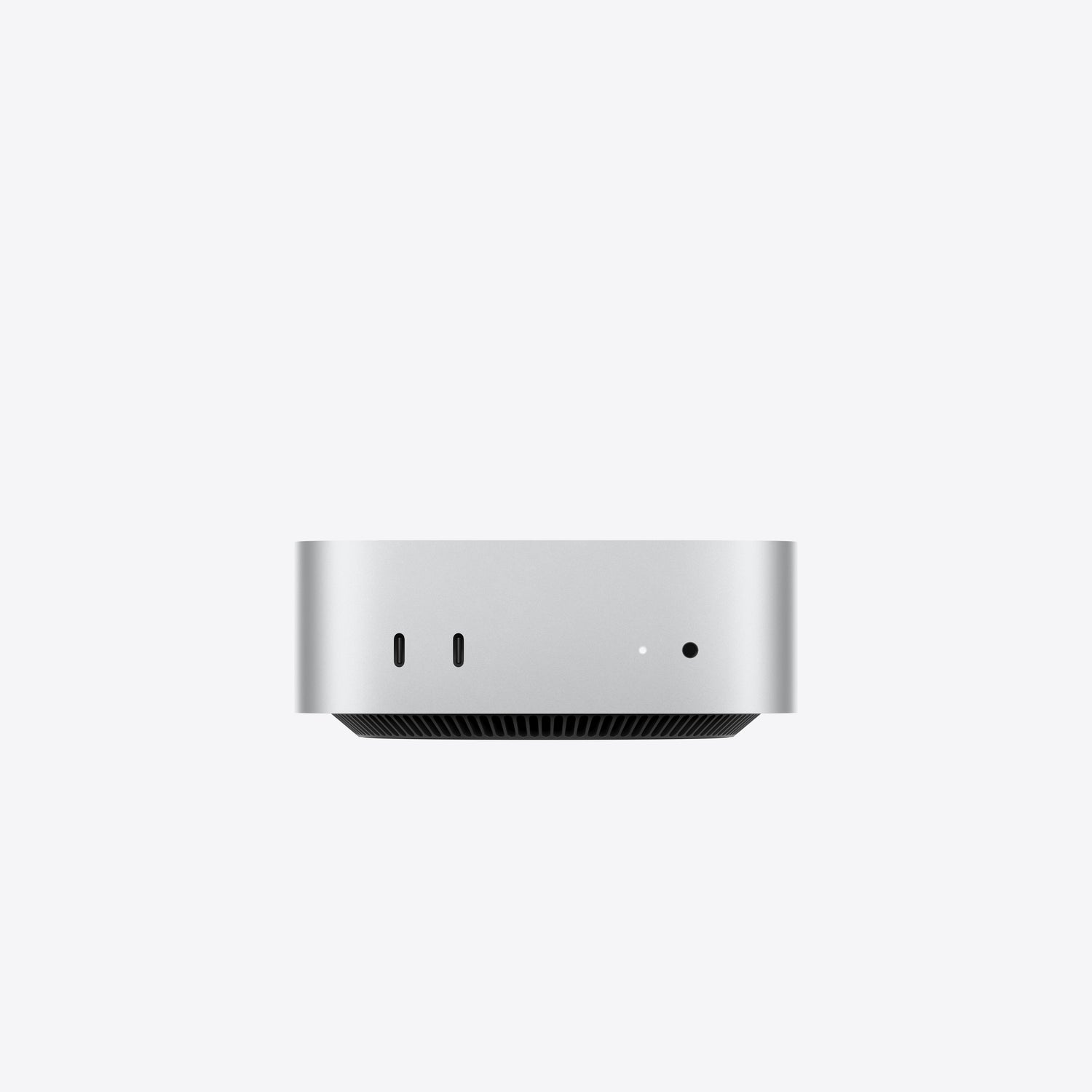
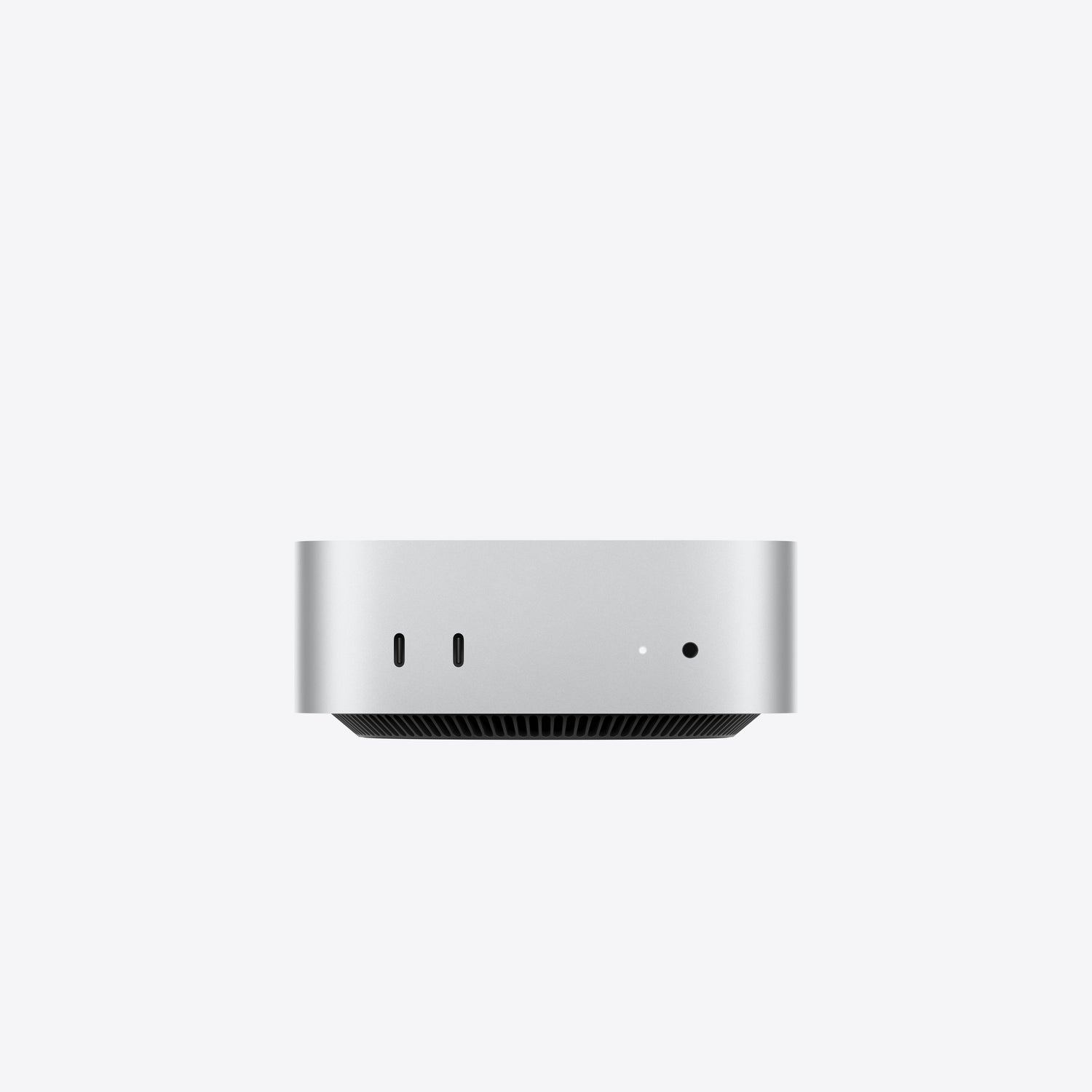
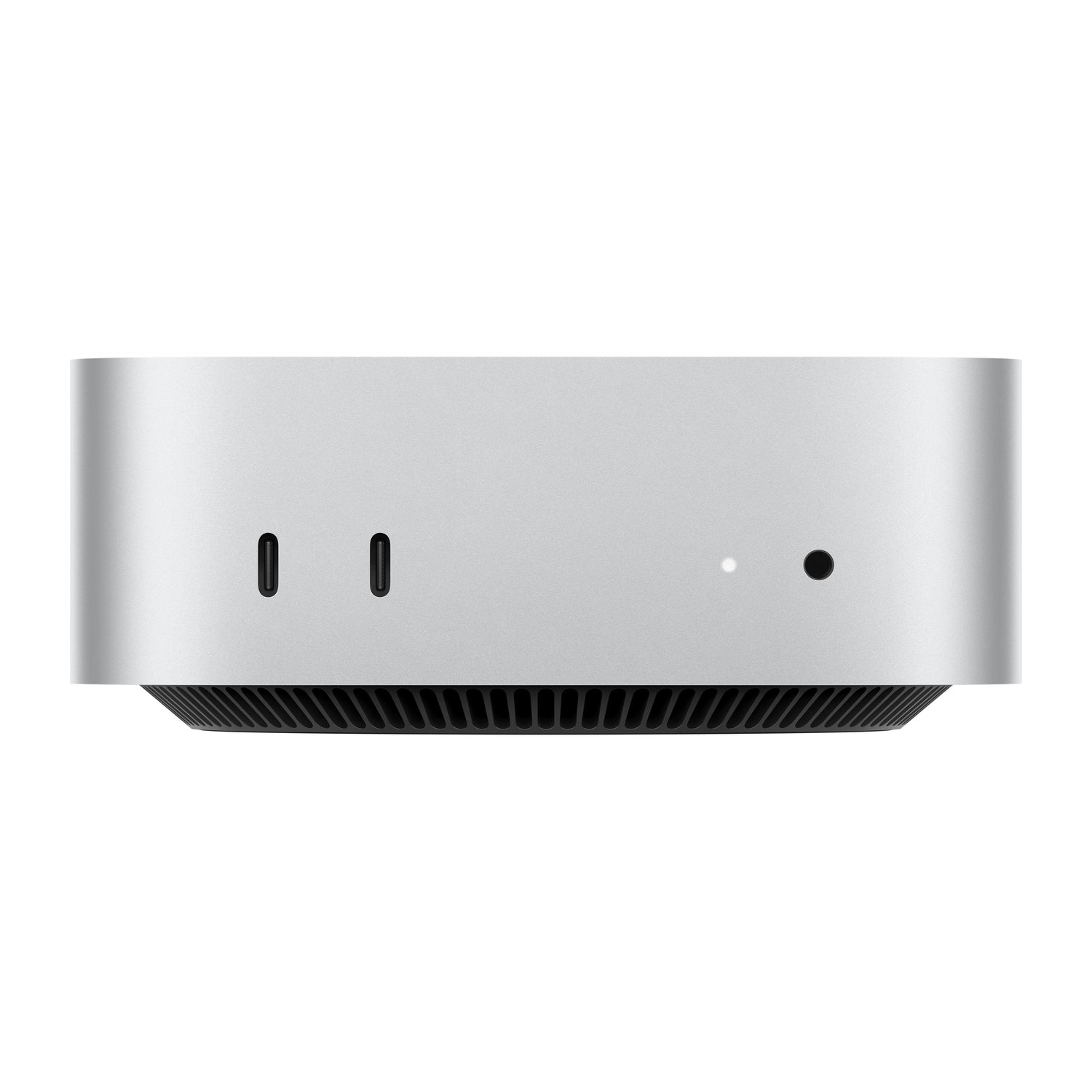
Every Mac mini shares the same compact aluminium enclosure, about 5 by 5 inches and 2 inches tall, small enough to tuck under a display. Ports sit on the front and back for easy access, and the whole range comes in a Silver finish.
What Ports and Connectivity Does the Mac mini Have?
The new M6 and M5 Pro models have two USB-C ports and a headphone jack on the front, with Thunderbolt ports, HDMI and 2.5Gb Ethernet on the back, plus Wi-Fi 7 and Bluetooth 6. The M6 uses Thunderbolt 4 and the M5 Pro uses faster Thunderbolt 5, and both support multiple external displays.
What Can You Do with a Mac mini?
The Mac mini suits everything from a first home or office desktop to a professional workstation. The M4 and M6 handle browsing, office apps, study and light creative work, while the M5 Pro takes on heavier tasks such as video editing, 3D and AI. It is also a popular compact desktop for developers and home studios.
Mac mini vs MacBook vs Mac Studio
Choose the Mac mini when you want a desktop and already have, or will add, your own display. If you need portability, a MacBook is the better fit, and if your work demands the highest sustained performance, the Mac Studio is the pro workstation to consider. You can compare all Mac models to see where each one fits.
What Comes in the Mac mini Box?
The Mac mini box includes the Mac mini and a power cord. A display, keyboard and mouse are not included, so you can pair it with the setup you prefer.
What Is the Price of the Mac mini in India?
Pricing depends on the chip and configuration you choose. For the current Mac mini price in India, including the Mac mini M4 price in India, the Mac mini M6 price in India and the Mac mini M5 Pro options, please refer to the individual product listings. Imagine Online offers EMI options, along with exchange and cashback offers where applicable.
Is AppleCare+ Available for the Mac mini?
Yes. AppleCare+ can be added to eligible Mac mini purchases through Imagine Online for extended service and support. You can learn more about AppleCare+ for Mac before you buy.
Are There Student Offers on the Mac mini?
Students and teachers can check the student and teacher offers available on Mac, which can make the Mac mini an even better value for study.
What Accessories Work with the Mac mini?
The Mac mini pairs with displays, a keyboard, mouse or trackpad, plus docks, hubs and external drives. Browse Mac accessories to complete your setup.
Why Buy the Mac mini from Imagine Online?
Imagine Online is an Apple Premium Partner with Apple-trained product experts and authorised service support. Every Mac mini comes with Apple's One-Year Limited Warranty for labour and parts. You can buy online with EMI, delivery across India and store pickup, and you can find an Imagine store near you for in-store help.
To see the wider range, view all Mac models or compare all Mac models side by side. You can also shop the full Apple line-up at Imagine Online.
Frequently Asked Questions About the Mac mini
-
Which Mac mini should I buy?
A. Choose the Mac mini M4 for value and everyday use, the Mac mini M6 as the all-round pick with the newest chip, and the Mac mini M5 Pro for demanding professional work. -
What is the difference between the Mac mini M4 and M6?
A. The M4 is the previous-generation value model with a 10-core CPU, while the M6 has the newer 12-core CPU and faster AI and graphics performance. -
What is the M6 chip in the Mac mini?
A. The M6 chip has a 12-core CPU, a 12-core GPU and a dual 16-core Neural Engine, offering fast everyday performance and quicker AI tasks. -
Is the Mac mini good for video editing?
A. Yes. The M6 handles light to moderate video editing, while the M5 Pro, with more cores and memory, is better suited to heavier video, 3D and creative work. -
Does the Mac mini support multiple monitors?
A. Yes. The Mac mini supports multiple external displays through its Thunderbolt and HDMI ports. -
What is the difference between the Mac mini M5 Pro and Mac Studio?
A. The Mac mini M5 Pro is a compact desktop for demanding pro work, while the Mac Studio is a larger workstation with far more cores, memory and ports for the heaviest workloads. -
Does the Mac mini come with a display, keyboard or mouse?
A. No. The Mac mini includes the computer and a power cord, so you connect your own display, keyboard and mouse. -
What colour is the Mac mini available in?
A. The Mac mini range comes in a Silver finish. -
Is AppleCare+ available for the Mac mini?
A. Yes. AppleCare+ can be added to eligible Mac mini purchases through Imagine Online, subject to terms and availability. -
Can I buy the Mac mini online in India?
A. Yes. The Mac mini range is available to buy online at Imagine Online, with EMI, delivery and store pickup options.
Related Search
iPhone 16 | iPhone 16e | iPhone 16 Ultramarine 128GB | iPhone 16 Ultramarine 256GB | iPhone 16 Ultramarine 512GB | iPhone 16 Teal 128GB | iPhone 16 Teal 256GB | iPhone 16 Teal 512GB | iPhone 16 Pink 128GB | iPhone 16 Pink 256GB | iPhone 16 Pink 512GB | iPhone 16 White 128GB | iPhone 16 White 256GB | iPhone 16 White 512GB | iPhone 16 Black 128GB | iPhone 16 Black 256GB | iPhone 16 Black 512GB | iPhone 16 Plus Ultramarine 128GB | iPhone 16 Plus Ultramarine 256GB | iPhone 16 Plus Ultramarine 512GB | iPhone 16 Plus Teal 128GB | iPhone 16 Plus Teal 256GB | iPhone 16 Plus Teal 512GB | iPhone 16 Plus Pink 128GB | iPhone 16 Plus Pink 256GB | iPhone 16 Plus Pink 512GB | iPhone 16 Plus White 128GB | iPhone 16 Plus White 256GB | iPhone 16 Plus White 512GB | iPhone 16 Plus Black 128GB | iPhone 16 Plus Black 256GB | iPhone 16 Plus Black 512GB | iPhone 16e White 128GB | iPhone 16e White 256GB | iPhone 16e White 512GB | iPhone 16e Black 128GB | iPhone 16e Black 256GB | iPhone 16e Black 512GB MacBook Air | MacBook Pro | iMac | Mac Mini | Mac Studio | 15-inch MacBook Air M3 Midnight 8GB 512GB | 15-inch MacBook Air M3 Midnight 16GB 512GB | 15-inch MacBook Air M4 Midnight 16GB 256GB | 15-inch MacBook Air M4 Midnight 16GB 512GB | 15-inch MacBook Air M4 Midnight 24GB 512GB | 15-inch MacBook Air M3 Space Grey 8GB 256GB | 15-inch MacBook Air M3 Space Grey 8GB 512GB | 15-inch MacBook Air M3 Space Grey 16GB 512GB | 15-inch MacBook Air M3 Silver 8GB 256GB | 15-inch MacBook Air M3 Silver 8GB 512GB | 15-inch MacBook Air M3 Silver 16GB 512GB | 15-inch MacBook Air M4 Silver 16GB 256GB | 15-inch MacBook Air M4 Silver 16GB 512GB | 15-inch MacBook Air M4 Silver 24GB 512GB | 15-inch MacBook Air M3 Starlight 8GB 256GB | 15-inch MacBook Air M3 Starlight 8GB 512GB | 15-inch MacBook Air M3 Starlight 16GB 512GB | 15-inch MacBook Air M4 Starlight 16GB 256GB | 15-inch MacBook Air M4 Starlight 16GB 512GB | 15-inch MacBook Air M4 Starlight 24GB 512GB | 13-inch MacBook Air M3 Midnight 8GB 256GB | 13-inch MacBook Air M3 Midnight 8GB 512GB | 13-inch MacBook Air M3 Midnight 16GB 512GB | 13-inch MacBook Air M4 Midnight 16GB 256GB | 13-inch MacBook Air M4 Midnight 16GB 512GB | 13-inch MacBook Air M4 Midnight 24GB 512GB | 13-inch MacBook Air M3 Space Grey 8GB 256GB | 13-inch MacBook Air M3 Space Grey 8GB 512GB | 13-inch MacBook Air M3 Space Grey 16GB 512GB | 13-inch MacBook Air M3 Silver 8GB 256GB | 13-inch MacBook Air M3 Silver 8GB 512GB | 13-inch MacBook Air M3 Silver 16GB 512GB | 13-inch MacBook Air M4 Silver 16GB 256GB | 13-inch MacBook Air M4 Silver 16GB 512GB | 13-inch MacBook Air M4 Silver 24GB 512GB | 13-inch MacBook Air M3 Starlight 8GB 256GB | 13-inch MacBook Air M3 Starlight 8GB 512GB | 13-inch MacBook Air M3 Starlight 16GB 512GB | 13-inch MacBook Air M4 Starlight 16GB 256GB | 13-inch MacBook Air M4 Starlight 16GB 512GB | 13-inch MacBook Air M4 Starlight 24GB 512GB | 16-inch MacBook Pro M4 Max Silver 36GB 1TB | 16-inch MacBook Pro M4 Max Silver 48GB 1TB | 16-inch MacBook Pro M4 Max Space Black 36GB 1TB | 16-inch MacBook Pro M4 Max Space Black 48GB 1TB | 16-inch MacBook Pro M4 Pro Silver 24GB 512GB | 16-inch MacBook Pro M4 Pro Silver 48GB 512GB | 16-inch MacBook Pro M4 Pro Space Black 24GB 512GB | 16-inch MacBook Pro M4 Pro Space Black 48GB 512GB | 14-inch MacBook Pro M4 Max Silver 36GB 1TB | 14-inch MacBook Pro M4 Max Space Black 36GB 1TB | 14-inch MacBook Pro M4 Pro Silver 24GB 512GB | 14-inch MacBook Pro M4 Pro Silver 24GB 1TB | 14-inch MacBook Pro M4 Pro Space Black 24GB 512GB | 14-inch MacBook Pro M4 Pro Space Black 24GB 1TB | 14-inch MacBook Pro M4 Silver 16GB 512GB | 14-inch MacBook Pro M4 Silver 16GB 1TB | 14-inch MacBook Pro M4 Silver 24GB 1TB | 14-inch MacBook Pro M4 Space Black 16GB 512GB | 14-inch MacBook Pro M4 Space Black 16GB 1TB | 14-inch MacBook Pro M4 Space Black 24GB 1TB | 16-inch MacBook Pro M3 Max Silver 36GB 1TB | 16-inch MacBook Pro M3 Max Silver 48GB 1TB | 16-inch MacBook Pro M3 Max Space Black 36GB 1TB | 16-inch MacBook Pro M3 Max Space Black 48GB 1TB | 16-inch MacBook Pro M3 Pro Silver 18GB 512GB | 16-inch MacBook Pro M3 Pro Silver 36GB 512GB | 16-inch MacBook Pro M3 Pro Space Black 18GB 512TB | 16-inch MacBook Pro M3 Pro Space Black 36GB 512TB | 14-inch MacBook Pro M3 Max Silver 36GB 1TB | 14-inch MacBook Pro M3 Max Space Black 36GB 1TB | 14-inch MacBook Pro M3 Pro Silver 18GB 512GB | 14-inch MacBook Pro M3 Pro Silver 18GB 1TB | 14-inch MacBook Pro M3 Pro Space Black 18GB 512GB | 14-inch MacBook Pro M3 Pro Space Black 18GB 1TB | 14-inch MacBook Pro M3 Space Grey 8GB 512GB | 14-inch MacBook Pro M3 Space Grey 8GB 1TB | 14-inch MacBook Pro M3 Space Grey 16GB 1TB | 14-inch MacBook Pro M3 Silver 8GB 512GB | 14-inch MacBook Pro M3 Silver 8GB 1TB | 14-inch MacBook Pro M3 Silver 16GB 1TB | 24-inch iMac M4 Blue 16GB 256GB | 24-inch iMac M4 Blue 16GB 512GB | 24-inch iMac M4 Blue 24GB 512GB | 24-inch iMac M4 Green 16GB 256GB | 24-inch iMac M4 Green 16GB 512GB | 24-inch iMac M4 Green 24GB 512GB | 24-inch iMac M4 Orange 16GB 256GB | 24-inch iMac M4 Orange 16GB 512GB | 24-inch iMac M4 Orange 24GB 512GB | 24-inch iMac M4 Pink 16GB 256GB | 24-inch iMac M4 Pink 16GB 512GB | 24-inch iMac M4 Pink 24GB 512GB | 24-inch iMac M4 Purple 16GB 256GB | 24-inch iMac M4 Purple 16GB 512GB | 24-inch iMac M4 Purple 24GB 512GB | 24-inch iMac M4 Silver 16GB 256GB | 24-inch iMac M4 Silver 16GB 512GB | 24-inch iMac M4 Silver 24GB 512GB | 24-inch iMac M4 Yellow 16GB 256GB | 24-inch iMac M4 Yellow 16GB 512GB | 24-inch iMac M4 Yellow 24GB 512GB | 24-inch iMac M4 Silver 16GB 256GB Nano-texture glass | 24-inch iMac M3 Blue 8GB 256GB | 24-inch iMac M3 Blue 8GB 512GB | 24-inch iMac M3 Green 8GB 256GB | 24-inch iMac M3 Green 8GB 512GB | 24-inch iMac M3 Pink 8GB 256GB | 24-inch iMac M3 Pink 8GB 512GB | 24-inch iMac M3 Silver 8GB 256GB | 24-inch iMac M3 Silver 8GB 512GB | 24-inch iMac M3 Yellow 8GB 256GB | 24-inch iMac M3 Yellow 8GB 512GB | 24-inch iMac M3 Orange 8GB 256GB | 24-inch iMac M3 Orange 8GB 512GB | 24-inch iMac M3 Purple 8GB 256GB | 24-inch iMac M3 Purple 8GB 512GB | Mac mini M4 Pro Silver 24GB 512GB | Mac mini M4 Silver 16GB 256GB | Mac mini M4 Silver 16GB 512GB | Mac mini M4 Silver 24GB 512GB | Mac Studio M3 Silver 96GB 1TB | Mac Studio M4 Silver 36GB 512GB
iPhone 15 | iPhone 15 Blue 128GB | iPhone 15 Blue 256GB | iPhone 15 Blue 512GB | iPhone 15 Pink 128GB | iPhone 15 Pink 256GB | iPhone 15 Pink 512GB | | iPhone 15 Yellow 256GB | iPhone 15 Yellow 512GB | iPhone 15 Green 128GB | iPhone 15 Green 256GB | iPhone 15 Green 512GB | iPhone 15 Black 128GB | iPhone 15 Black 256GB | iPhone 15 Black 512GB |