USB-C Hubs & Docks for MacBook | Buy Now
-
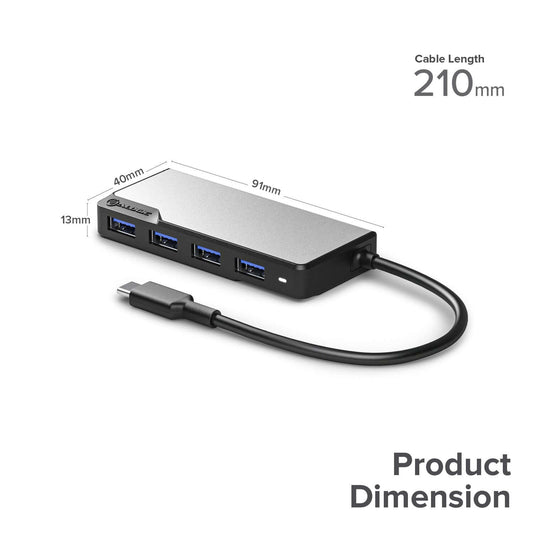
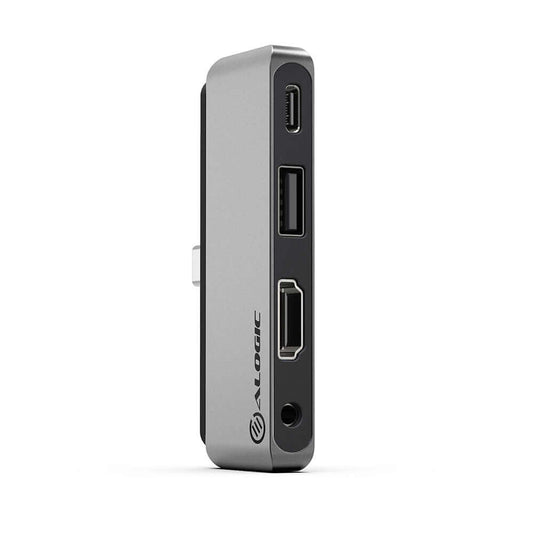
ALOGIC USB-C Fusion SWIFT 4-in-1 Hub
₹ 2,490Unit price per₹ 2,490
-
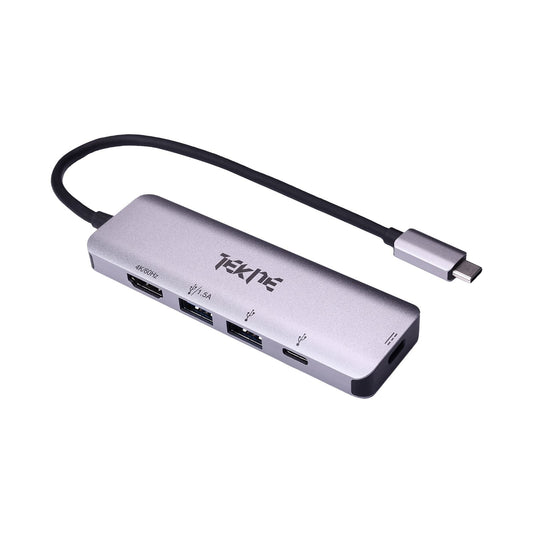
TEKNE Essential USB-C Hub | 8-in-1 Multiport Adapter | 100W Fa...
₹ 3,999Unit price per₹ 3,999
-
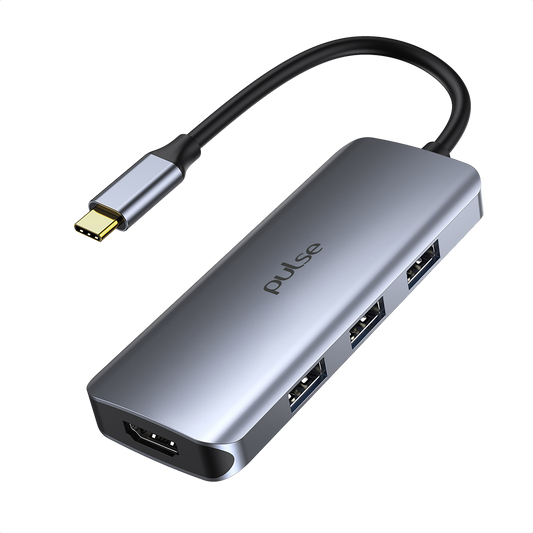
7 In 1 Multi Port HUB - SILVER
₹ 4,014Unit price per₹ 5,499₹ 4,014
-
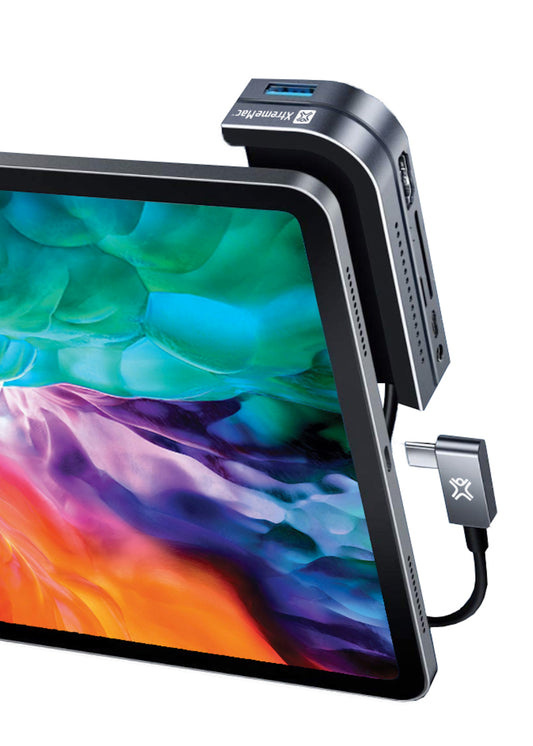
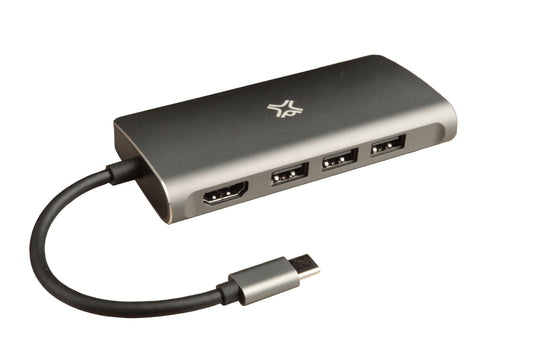
XtremeMac type-c hub iPad Pro & MacBook - 6 ports - Space Grey
₹ 9,999Unit price per₹ 9,999
-
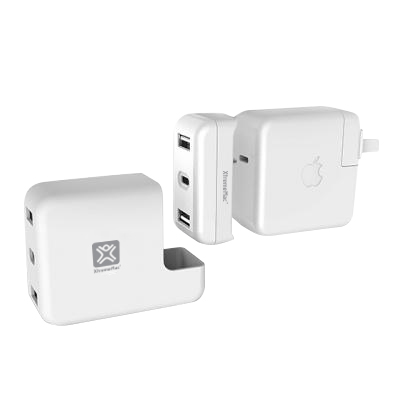
XtremeMac MackBook Charging Hub Adapter
₹ 6,999Unit price per₹ 6,999
-
ALOGIC USB- C Anchor HDMI Hub - USB-A (USB 2.0), USB-C (PD 60W...
₹ 4,490Unit price per₹ 4,490
-
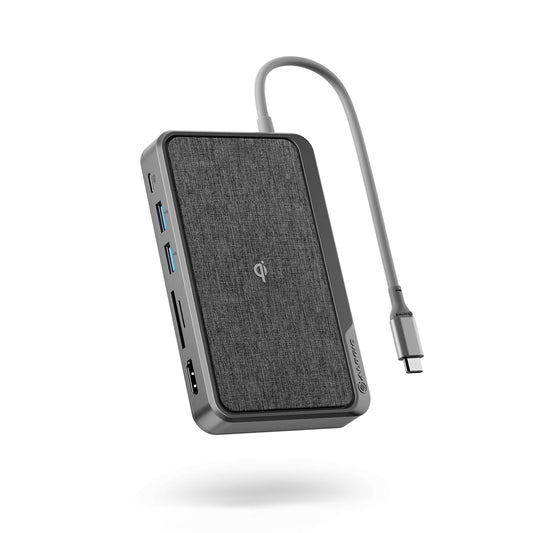
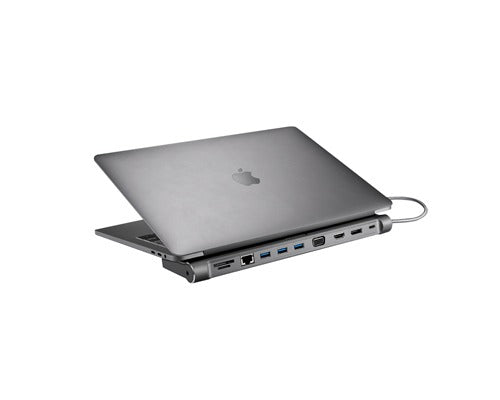
ALOGIC USB-C Dock Wave USB-C Hub - Space Grey
₹ 9,990Unit price per₹ 9,990
-
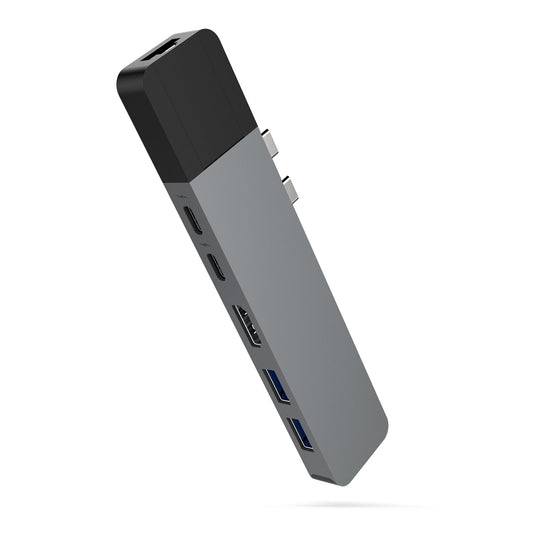
HyperDrive NET 6 in 2 USB - C Hub for MacBook_Space Grey
₹ 8,499Unit price per₹ 8,499
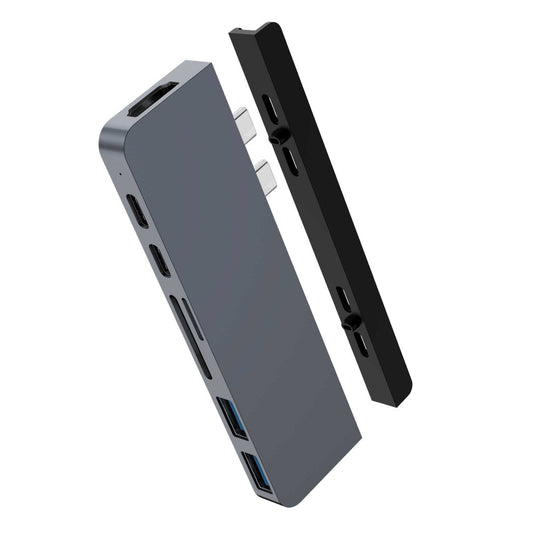
HyperDrive DUO 7-in-2 — USB-C Hub for MacBook Pro / Air_Spac...
₹ 9,999Unit price per₹ 9,999
XtremeMac Type-C Hub Multiport Plus
₹ 9,999Unit price per₹ 9,999
XtremeMac Hub - TYP-C Charging Hub
₹ 25,999Unit price per₹ 25,999
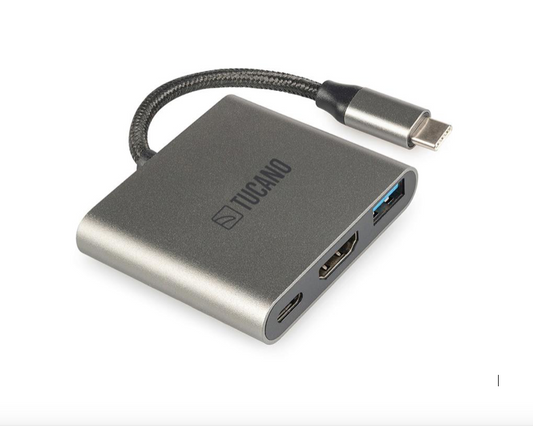
Tucano USB TYPE C HUB W/HDMI,USB,USBC SPACEGR PZ
₹ 2,999Unit price per₹ 2,999
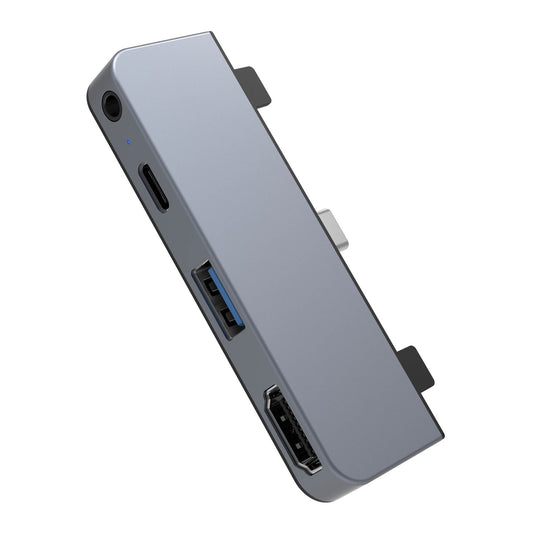
HyperDrive 4-in-1 Ipad Pro USB C hub_Space Grey
₹ 4,499Unit price per₹ 4,499
More Details
What MacBook Hubs Are Best for Expanding Connectivity, Productivity, and Multi-Device Workflows?
Expanding the connectivity of your MacBook is essential for professionals, students, and creatives who rely on multiple devices and peripherals daily. The best MacBook hubs for expanding connectivity and productivity provide additional ports, high-speed data transfer, and versatile compatibility, making your MacBook more efficient and workflow-ready. From USB-C multiport hubs and HDMI adapters to SD card readers and Ethernet docking stations, these accessories connect your monitors, external drives, and other essential devices effortlessly. At Imagine Store, a trusted Authorized Apple Reseller, you can explore a curated collection of Apple-certified MacBook hubs designed for reliability, seamless integration, and enhanced performance.
Beyond connectivity, MacBook hubs enhance daily productivity and workflow convenience. Must-have options include portable multiport USB-C hubs for MacBook Pro and MacBook Air, high-speed data transfer hubs, and compact travel-friendly docking stations. Carefully selected by Imagine Store, each MacBook hub combines durability, efficiency, and Apple-grade quality, ensuring your MacBook stays connected, productive, and fully optimized for office work, creative projects, or on-the-go use.
How Do Multiport MacBook Hubs Improve Workflow for Professionals and Creators?
- All-in-One Connectivity
Multiport MacBook Hubs allow seamless connection of USB C Hub MacBook, external drives, displays, and peripherals, boosting productivity for professionals.
- Enhanced Workflow
Connect multiple devices simultaneously using MacBook Multiport Adapter, Hub USB for Mac, or MacBook USB Hub, eliminating constant plug swapping.
- Optimized for Creators
Video editors, photographers, and designers benefit from high-speed transfers and multiple display setups with MacBook USB C Multiport Adapter.
- Compact Organization
Reduce clutter on desks with a single Type C Hub for MacBook, replacing multiple adapters and cables.
- Trusted by Imagine Store
Imagine Store, an Authorized Apple Reseller, offers certified MacBook Hubs that enhance workflow and productivity.
Which MacBook Hubs Offer USB-C, HDMI, and SD Card Support for All-in-One Convenience?
- Multiple Port Support
Hubs like Mac USB C Hub, USB C Hubs for MacBook, or MacBook Port Hub integrate USB-C, HDMI, and SD card slots for versatile connectivity.
- Simplified Device Management
Connect MacBook Extension Port, external drives, and SD cards simultaneously without needing multiple adapters.
- High Compatibility
Works with MacBook Pro, MacBook Air, and other Mac models, ensuring smooth operation with USB Port Hub for MacBook Pro.
- Travel & Office Ready
Compact MacBook Multiport Hub fits in laptop bags, making all-in-one access convenient for work or travel.
- Trusted by Imagine Store
Shop genuine Hubs for MacBook at Imagine Store, an Authorized Apple Reseller, for reliable all-in-one solutions.
What Are the Best High-Speed Data Transfer MacBook Hubs for 4K Video and Large Files?
- Ultra-Fast Transfers
Use USB C Multiport Adapter MacBook or MacBook USB C Dock for high-speed transfer of 4K videos and large files.
- Thunderbolt Compatibility
Thunderbolt-enabled MacBook Multi Adapter ensures minimal lag during data-intensive workflows.
- Reliable Performance
Connect MacBook USB Hub, MacBook Port Extender, or Hub Mac to external SSDs and hard drives without speed loss.
- Optimized for Professionals
Video editors, photographers, and content creators can simultaneously edit, transfer, and store large media files.
- Trusted by Imagine Store
Find certified high-speed MacBook Hubs at Imagine Store, an Authorized Apple Reseller, for professional-grade performance.
What Are the Key Factors to Consider Before Buying a MacBook Hub? Shop at Imagine Store for the Best Deals
1. 7 In 1 Multi Port HUB - SILVER
- Port Variety - Ensure it has all necessary ports (USB-A, USB-C, HDMI, SD/microSD) for your devices.
- Power Delivery - Check if it supports adequate power delivery (PD) for charging laptops or other devices.
- Data Transfer Speed - Verify USB ports support high-speed data transfer for your needs.
- Build & Compatibility - Look for durable construction and compatibility with MacBooks, iPads, or Windows laptops.
2. ALOGIC USB- C Anchor HDMI Hub - USB-A (USB 2.0), USB-C (PD 60W), 3.5mm
- Port Selection - Confirm it includes HDMI, USB-A, USB-C PD, and audio jack for your devices.
- Charging Capability - Check PD wattage (60W) for compatibility with your laptop or tablet charging needs.
- Video Output - Ensure HDMI supports your required resolution (up to 4K 30Hz).
- Build Quality - Look for reliable casing and heat management during prolonged use.
3. ALOGIC USB-C Dock Wave USB-C Hub - Space Grey
- Connectivity Options - Verify ports meet your workflow (USB-A, HDMI, SD card, Ethernet, etc.).
- Charging & PD - Check maximum PD output for your laptop or tablet.
- Video & Audio Support - Ensure video output supports your monitor resolution.
- Durability & Design - Look for a sturdy, compact design with an anti-slip base.
4. ALOGIC USB-C Fusion SWIFT 4-in-1 Hub
- Essential Ports - Confirm it provides the 4 ports you need (USB-A, HDMI, USB-C PD, etc.).
- Compatibility - Ensure it works with MacBooks, iPads, and Windows devices.
- Data & Video Speed - Check USB speed and video resolution support.
- Portability - Consider lightweight design for travel or desk use.
5. HyperDrive 4-in-1 Ipad Pro USB C hub_Space Grey
- Port Variety - Check it includes USB-A, HDMI, USB-C PD, SD/microSD ports.
- Device Compatibility - Confirm full compatibility with iPad Pro USB-C port.
- Video Output - Ensure HDMI supports your desired display resolution.
- Build & Finish - Look for high-quality, space-grey finish that matches your device.
6. HyperDrive DUO 7-in-2 - USB-C Hub for MacBook Pro / Air Space Grey
- Port Selection - Confirm you have all necessary ports for your workflow (HDMI, USB-A, SD, microSD, USB-C).
- Charging & PD - Check PD wattage to charge MacBook while using hub.
- Compatibility - Ensure it fits MacBook Pro or Air USB-C ports snugly.
- Build & Material - Verify aluminium finish and durability for long-term use.
7. HyperDrive NET 6 in 2 USB - C Hub for MacBook Space Grey
- Connectivity Options - Confirm it covers ports you need (USB-A, HDMI, Ethernet, SD/microSD).
- Charging Support - Verify USB-C PD wattage for laptop charging.
- Video & Network - Ensure HDMI supports display resolution and Ethernet is Gigabit speed.
- Design & Stability - Look for secure fit and premium aluminium build.
8.Tekne Essential USB-C Hub | 8-in-1 Multiport Adapter | 100W Fast Charging & 4K HDMI - Silver
- Port Variety - Check it provides multiple ports (HDMI, USB-A, USB-C PD, SD/microSD).
- Power Delivery - Supports 100W fast charging for high-power devices.
- Video Output - Ensure HDMI supports your monitor resolution (4K).
- Build & Portability - Consider aluminium body for heat dissipation and durability.
9. Tucano 4IN1 USB TYPEC HUB W/HDMI,VGA,PD SP GR PZ
- Port Options - Check it has HDMI, VGA, USB-C PD, USB-A for your device needs.
- Video Compatibility - Ensure HDMI/VGA output matches your monitor or projector.
- Charging Support - USB-C PD port should supply enough wattage for your laptop/tablet.
- Design & Build - Look for compact, sturdy design for travel and daily use.
10. Tucano USB TYPE C HUB W/HDMI,USB,USBC SPACEGR PZ
- Port Selection - Confirm USB-C, USB-A, and HDMI meet your usage needs.
- Power Delivery - Check PD wattage for charging laptops or iPads.
- Video Output - Ensure HDMI supports your monitor’s resolution.
- Durability & Finish - Verify aluminium space-grey body for protection and heat control.
11. XtremeMac Hub - TYP-C Charging Hub
- Connectivity - Ensure it includes all ports you require (HDMI, USB, PD).
- Charging Capability - Verify USB-C PD wattage for device charging.
- Compatibility - Works with iPads, MacBooks, or USB-C laptops.
- Build Quality - Look for sturdy design and quality heat dissipation.
12. XtremeMac MackBook Charging Hub Adapter
- Port Variety - Ensure hub provides all necessary ports for your workflow.
- Power Delivery - Check USB-C PD output for fast charging MacBooks.
- Video & Data Support - Confirm HDMI or USB speeds meet requirements.
- Design & Durability - Aluminium finish ensures long-term stability and premium feel.
13. XtremeMac type-c hub iPad Pro & MacBook - 6 ports - Space Grey
- Port Options - Check inclusion of USB-A, HDMI, SD/microSD, and PD ports.
- Charging Capability - Supports PD charging for iPad Pro or MacBook.
- Video Output - Ensure HDMI resolution matches monitor needs.
- Build & Fit - Sturdy aluminium design with secure, snug connection.
14. XtremeMac Type-C Hub Multiport Plus
- Port Variety - Verify it has all essential ports (HDMI, USB-A, USB-C PD, SD card).
- Power Delivery - Check USB-C PD wattage for charging laptops or tablets.
- Video & Data Speed - Confirm HDMI and USB speeds meet your requirements.
- Build & Stability - Look for aluminium body for heat dissipation and long-term durability.
How Can Portable MacBook Hubs Make Travel, Remote Work, and Office Use More Efficient?
- Compact & Lightweight
Portable MacBook Multiport Adapter, USB C Dock for MacBook, or MacBook Type C Dock fits easily in backpacks or laptop bags.
- Versatile Connectivity
Access multiple ports on-the-go with USB Extender for MacBook, Hub Mac, or MacBook Multi Adapter.
- Convenient Setup Anywhere
Quickly connect MacBook Extra Ports, displays, storage, and peripherals during travel or remote work.
- Durable & Reliable
Premium build MacBook Multiport Hub ensures reliable performance without bulk or fragility.
- Trusted by Imagine Store
Shop portable MacBook Hubs at Imagine Store, an Authorized Apple Reseller, for efficient connectivity anytime, anywhere.
Which MacBook Hubs Are Ideal for Connecting Multiple Displays and External Monitors?
- Multi-Display Support
High-quality MacBook Multiport Hub and MacBook USB C Multiport Adapter enable connection to dual or triple monitors.
- Seamless Video Output
HDMI-compatible USB C Hub MacBook, MacBook USB C Dock, or MacBook Type C Dock deliver crisp, 4K resolution for professional editing or presentations.
- Stable Performance
Reliable power delivery and data transfer keep your MacBook USB Hub and displays running without interruptions.
- Perfect for Creators & Professionals
Ideal for designers, developers, and multitaskers using MacBook Extension Port or Hub Mac setups.
- Trusted by Imagine Store
Find certified multi-display MacBook Hubs at Imagine Store, an Authorized Apple Reseller, for creative and professional setups.
How Do Thunderbolt-Compatible MacBook Hubs Enhance Speed and Power Delivery?
- High-Speed Data Transfer
Thunderbolt-enabled MacBook Multi Adapter, MacBook USB C Multiport Adapter, or MacBook USB Hub provides ultra-fast transfer speeds for large files.
- Power Delivery
Supports charging while connected to multiple devices via MacBook USB C Dock or USB C Dock for MacBook, ensuring uninterrupted workflow.
- Versatile Connectivity
Connect displays, SSDs, and peripherals simultaneously using MacBook Hub Adapter or MacBook Port Hub.
- Optimized for Professionals
Perfect for designers, editors, and remote workers handling heavy workloads.
- Trusted by Imagine Store
Shop certified Thunderbolt MacBook Hubs at Imagine Store, an Authorized Apple Reseller, for high-speed and power-efficient solutions.
What Are the Top Compact and Lightweight MacBook Hubs for Students and On-the-Go Users?
- Slim & Portable
Compact MacBook Multi Adapter, Hub Mac, or USB C Hub MacBook is easy to carry in backpacks or laptop sleeves.
- Multiple Port Support
Access MacBook Extra Ports, USB drives, SD cards, and HDMI displays simultaneously.
- Easy Setup
Plug-and-play operation for MacBook Port Extender, MacBook Hub Adapter, or USB Port Hub for MacBook Air.
- Durable Design
Premium lightweight aluminum construction ensures long-lasting reliability.
- Trusted by Imagine Store
Find compact and certified MacBook Hubs at Imagine Store, an Authorized Apple Reseller, for students and on-the-go users.
How Do Aluminum and Premium Build MacBook Hubs Improve Durability and Heat Dissipation?
- Premium Materials
Aluminum and metal MacBook Multiport Hub, MacBook USB C Multiport Adapter, and MacBook Type C Dock offer durability and premium feel.
- Heat Dissipation
Metal construction enhances airflow, keeping MacBook USB Hub, USB C Multiport Adapter MacBook, and peripherals cool during extended use.
- Scratch & Damage Resistance
Durable build protects MacBook Hub Adapter, MacBook USB C Dock, and MacBook Extension Port from daily wear and tear.
- Stable Connectivity
High-quality materials ensure consistent connections across all ports, including HDMI, USB, and SD card slots.
- Trusted by Imagine Store
Shop certified premium MacBook Hubs at Imagine Store, an Authorized Apple Reseller, for long-lasting, reliable performance.
Which MacBook Hubs Include Ethernet and Network Ports for Stable Internet Connections?
- Reliable Wired Connectivity
MacBook Hubs with Ethernet ports, such as MacBook Multiport Hub, MacBook USB C Multiport Adapter, or USB C Hub MacBook, ensure stable wired internet connections for work or streaming.
- Multiple Network Options
Combine Wi-Fi and Ethernet using MacBook Port Hub or Mac USB Hub, providing redundancy during critical tasks.
- Professional-Grade Performance
Essential for remote work, online meetings, and large file transfers via MacBook Connector Hub or USB Port Hub for MacBook Pro.
- High Compatibility
Works seamlessly with MacBook USB Hub, MacBook Type C Dock, or Hub USB for Mac without slowing performance.
- Trusted by Imagine Store
Find certified Hubs for MacBook at Imagine Store, an Authorized Apple Reseller, ensuring reliable and fast internet connectivity.
How Do Multi-Functional MacBook Hubs Support Charging, Data Transfer, and Audio Simultaneously?
- All-in-One Convenience
Multi-functional MacBook Multi Adapter, MacBook Hub Adapter, or USB C Multiport Adapter MacBook allow charging, file transfer, and audio output simultaneously.
- Enhanced Productivity
Connect MacBook Extra Ports, external drives, headphones, and displays without swapping devices.
- Fast Power Delivery
Compatible with MacBook USB C Dock, Type C Hub for MacBook, and USB C Dock for MacBook for uninterrupted charging.
- Versatile Connectivity
Support for USB-A, HDMI, SD cards, and audio ports ensures a fully functional workstation on-the-go.
- Trusted by Imagine Store
Certified multi-functional MacBook Hubs are available at Imagine Store, an Authorized Apple Reseller, for efficient workflow management.
What Are the Latest Innovative MacBook Hubs With Foldable or Modular Designs?
- Compact Foldable Designs
Foldable MacBook Multiport Hub or MacBook Multi Adapter save space and fit easily in laptop bags.
- Modular Flexibility
Customizable modules on MacBook USB C Multiport Adapter or Hub USB MacBook allow adding only the ports you need.
- Travel-Friendly
Lightweight MacBook USB C Dock, MacBook Hub Adapter, or MacBook Port Extender ensures portability without sacrificing functionality.
- Future-Ready Features
Innovative hubs support fast data, multiple displays, and Thunderbolt connections in a single device.
- Trusted by Imagine Store
Shop certified, modular MacBook Hubs at Imagine Store, an Authorized Apple Reseller, for flexible, innovative solutions.
Which MacBook Hubs Are Best for Creative Professionals Using External Storage and Accessories?
- High-Speed Data Transfers
Thunderbolt-compatible MacBook USB C Multiport Adapter, MacBook Multiport Hub, or USB C Multiport Adapter MacBook ensures fast access to large files.
- Multiple Connectivity Options
Connect SSDs, external drives, cameras, and peripherals via MacBook Extension Port, MacBook Multi Adapter, or MacBook Port Hub.
- Professional-Grade Reliability
Supports intensive workloads without lag or data loss for video editors, photographers, and designers.
- Durable & Stable Build
Premium aluminum and reinforced construction of Hub Mac or MacBook USB Hub ensures long-term reliability.
- Trusted by Imagine Store
Find professional-grade Hubs for MacBook at Imagine Store, an Authorized Apple Reseller, for creative workflows.
How Do USB-C Hub Splitters Help Connect Legacy Devices to Modern MacBook Models?
- Seamless Compatibility
USB-C hub splitters connect older USB-A devices, SD cards, or HDMI monitors to modern MacBooks via USB C Hub MacBook or MacBook USB Hub.
- Preserve Productivity
Allows use of legacy keyboards, external drives, and peripherals with MacBook Multiport Hub, MacBook Connector Hub, or Hub USB for Mac.
- Plug-and-Play Convenience
No driver installation needed for USB C Hubs for MacBook, MacBook Port Extender, or USB Port Hub for MacBook Air.
- Compact and Portable
Lightweight splitters fit alongside MacBook Multi Adapter or MacBook USB C Multiport Adapter in laptop bags.
- Trusted by Imagine Store
Certified USB-C hub splitters are available at Imagine Store, an Authorized Apple Reseller, for seamless legacy device connectivity.
What Are the Best Budget-Friendly MacBook Hubs Without Compromising Performance?
- Affordable Quality
Budget-friendly MacBook Multiport Hub, MacBook Multi Adapter, or USB C Multiport Adapter MacBook offer reliable performance at lower cost.
- Essential Connectivity
Provides USB, HDMI, SD card, and audio ports with MacBook USB Hub, MacBook Port Hub, or Hub USB MacBook.
- Compact & Portable
Slim MacBook USB C Dock or MacBook Type C Dock designs ensure portability without bulk.
- Trusted Performance
Even at budget pricing, hubs support high-speed data, multiple displays, and stable charging for daily use.
- Trusted by Imagine Store
Shop certified, budget-friendly MacBook Hubs at Imagine Store, an Authorized Apple Reseller, for cost-effective connectivity.
How Do AppleCare-Compatible MacBook Hubs Ensure Safe Device Connection and Warranty Compliance?
- Extended Protection
AppleCare-compatible MacBook Hub Adapter, MacBook Multiport Hub, and MacBook USB C Dock ensure safe connections without voiding warranties.
- Genuine Replacement
Receive authentic replacement units if hubs are damaged or defective.
- Safe Charging & Data Transfer
Certified hubs maintain optimal voltage and stable data transfer with MacBook USB Hub or MacBook Port Extender.
- Peace of Mind
Protects your investment in MacBook Multiport Adapter, Hub Mac, and other certified accessories.
- Trusted by Imagine Store
Imagine Store, an Authorized Apple Reseller, offers AppleCare-integrated MacBook Hubs for safety and reliability.
Which Mac Model Is Right for You? Explore the Latest Apple Macs at Imagine Store
Ready to supercharge your productivity? Discover Apple’s newest Macs at Imagine Store, an Authorized Apple Reseller, where cutting-edge performance meets stunning design. From ultra-portable laptops to professional-grade desktops, find the Mac that fits your lifestyle and workflow, all backed by AppleCare+ and exclusive Imagine Store offers.
- MacBook Air - Ultra-light, whisper-quiet, and built for life on the go. Powered by Apple’s M-series chip and up to 2TB storage, MacBook Air offers all-day battery life and seamless performance for students, remote workers, and creative minds. Its sleek design and powerful capabilities make it perfect for productivity anywhere. Shop MacBook Air at Imagine Store and experience effortless mobility.
- MacBook Pro - For professionals who demand peak performance, MacBook Pro delivers with M-series Pro or Max chips, 14″ & 16″ Liquid Retina XDR displays with ProMotion 120Hz, and up to 8TB storage. It handles video editing, coding, and heavy multitasking effortlessly, saving you time while boosting productivity. Upgrade to MacBook Pro at Imagine Store and power through your projects.
- iMac - Sleek, colorful, and all-in-one, the 24″ iMac features a stunning 4.5K Retina display, M-series chip, and up to 2TB storage. Perfect for home offices or creative studios, it brings vibrant visuals and smooth performance to your workspace. Get your iMac at Imagine Store and transform your setup.
- Mac mini - Compact in size but massive in performance, Mac mini combines the power of an M-series chip with multiple connectivity options and up to 2TB storage. Ideal for developers, creators, or versatile workstation setups, it delivers professional performance in a small footprint. Shop Mac mini at Imagine Store for space-saving efficiency.
- Mac Studio - Engineered for demanding workflows, Mac Studio features the M-series Ultra chip, extensive ports, and up to 8TB storage. It handles high-end video production, 3D design, and professional applications effortlessly, helping you achieve more in less time. Buy Mac Studio at Imagine Store and unlock studio-grade performance.
- Studio Display - Experience breathtaking visuals with the 5K Retina Studio Display featuring True Tone and P3 wide color gamut. Perfect for color-critical work, immersive entertainment, or complementing your Mac desktops, it delivers unmatched clarity and precision. Get Studio Display at Imagine Store and elevate your Mac experience.
Why Should You Buy MacBook Hubs From an Authorized Apple Reseller Like Imagine Store for Genuine Products?
- Certified Authentic Products
Buying from Imagine Store ensures genuine MacBook Hubs, USB C Hub MacBook, and MacBook USB Hub.
- Warranty & Support
Official warranties cover MacBook Multiport Hub, MacBook USB C Multiport Adapter, and USB C Dock for MacBook.
- Wide Selection
Choose from MacBook Connector Hub, Hub USB MacBook, MacBook Port Hub, and other certified multiport adapters.
- Reliable Performance
Genuine hubs maintain durability, connectivity, and compatibility with all Mac models.
- Trusted Expertise
Imagine Store, an Authorized Apple Reseller, provides expert guidance to choose the Best MacBook Hubs for your needs.
Frequently Asked Questions about MacBook Hubs at Imagine Store
1. Where can I buy MacBook Hubs in India?
You can buy MacBook Hubs from Imagine Store, an Authorized Apple Reseller offering genuine products, official warranty, fast delivery, and expert guidance.
2. What are MacBook Hubs and why do I need them?
MacBook Hubs are multi‑port adapters that expand your MacBook’s connectivity, adding USB‑A, HDMI, Ethernet, SD card slots, and more for versatility.
3. Which ports do MacBook Hubs typically offer?
MacBook Hubs commonly include USB‑A, USB‑C, HDMI, DisplayPort, Ethernet, SD/TF card readers, and audio jacks to connect multiple devices and peripherals.
4. Are USB‑C MacBook Hubs compatible with all MacBook models?
Yes, USB‑C MacBook Hubs are compatible with MacBook models that have USB‑C or Thunderbolt ports. Check your exact MacBook model for port specifics.
5. Can MacBook Hubs support 4K or 8K video output?
Many premium MacBook Hubs support 4K at 60Hz or higher through HDMI or DisplayPort connections, making them ideal for external monitors and presentations.
6. Are wireless MacBook Hubs available?
No, MacBook Hubs are physical devices that connect via USB‑C or Thunderbolt to expand ports. They don’t rely on wireless connections.
7. Do MacBook Hubs affect charging speed while connected?
Some MacBook Hubs support pass-through charging, allowing you to charge your MacBook while using additional ports without reducing charging speed.
8. Which MacBook Hubs are best for travel and portability?
Compact, lightweight MacBook Hubs with essential ports such as USB‑A, HDMI, and SD card slots — are ideal for travel and on‑the‑go use.
9. Can MacBook Hubs transfer data between devices?
Yes, MacBook Hubs transfer data between connected peripherals like external drives, cameras, and memory cards with fast USB and Thunderbolt speeds.
10. Are MacBook Hubs compatible with Windows devices too?
Most MacBook Hubs that connect via USB‑C or Thunderbolt are also compatible with Windows laptops and devices featuring the same ports.
11. How do I choose the right MacBook Hubs for my needs?
Choose MacBook Hubs based on the ports you need — for example, HDMI for displays, Ethernet for wired internet, and card readers for photography workflows.
12. Do MacBook Hubs support Ethernet connectivity?
Yes, select MacBook Hubs include Ethernet ports to provide wired internet access for fast and stable networking.
13. Are premium MacBook Hubs worth the cost?
Premium MacBook Hubs offer higher‑speed data transfer, sturdier build quality, and more robust video support, making them worthwhile for professionals and frequent travelers.
14. Do you offer fast delivery and discounts on MacBook Hubs?
Yes, Imagine Store provides fast delivery across India, seasonal discounts, and flexible EMI options on selected MacBook Hubs.
15. Why should I buy MacBook Hubs from Imagine Store?
Imagine Store offers authentic MacBook Hubs, official warranty, expert support, competitive pricing, and a trusted Apple shopping experience as an Authorized Apple Reseller.
Related Search
- Choosing a selection results in a full page refresh.
- Opens in a new window.
Video Consult ×