Buy Apple Pencil Pro Online | Advanced Gestures in India
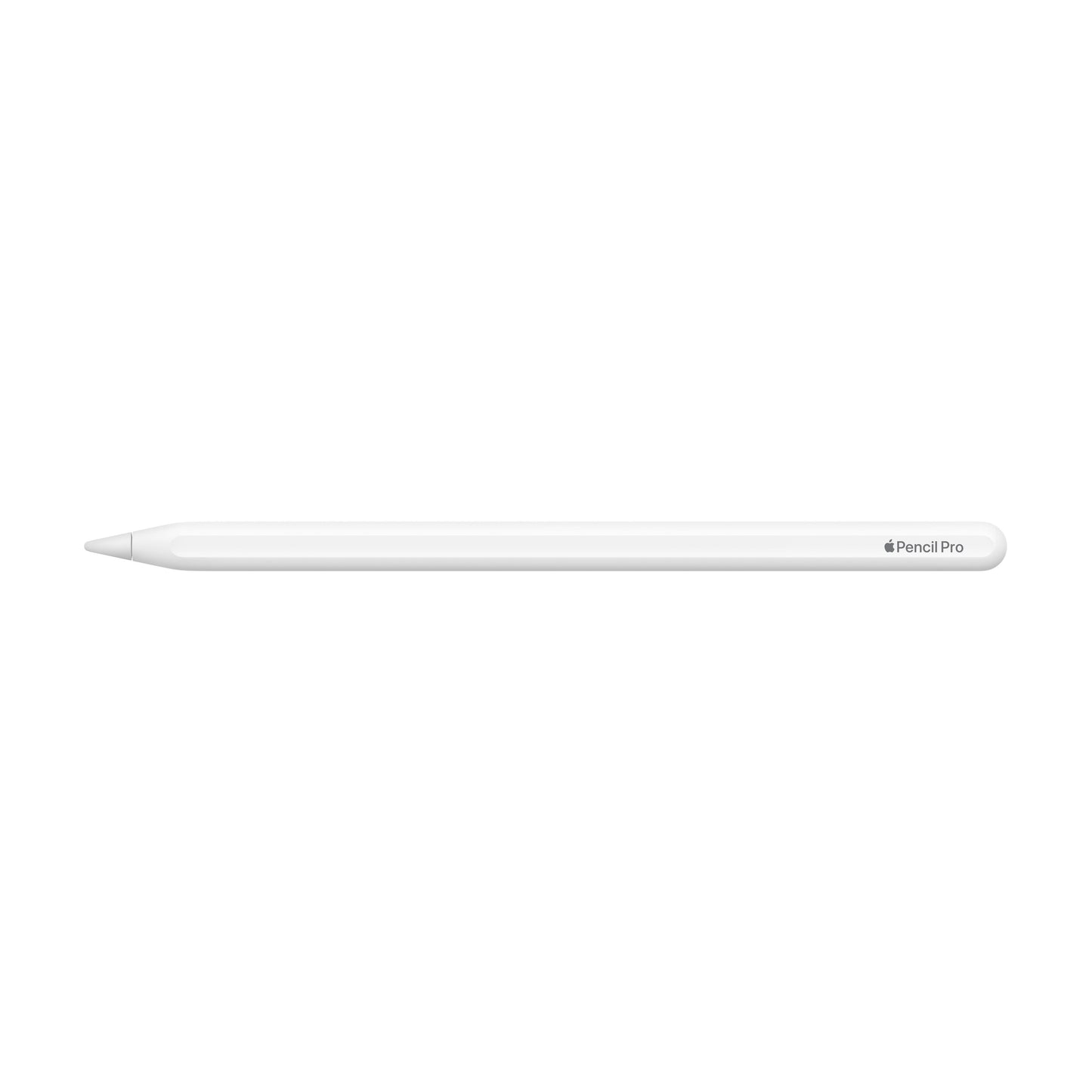
2024 Apple Pencil Pro


2024 Apple Pencil Pro
₹ 11,900
Unit price per


Selling Price :
₹11900
Shipping Details
Shipping Details
Payment Options
Payment Options

GST Validator
GST Validator
Contact information
Contact information
Ask the Expert
Ask the Expert
More details
More details
Apple Pencil Pro - Squeeze Gesture, Barrel Roll, and Find My, at Imagine Store
The Apple Pencil Pro is Apple's most advanced stylus, engineered specifically for the iPad Pro M4 and iPad Air M2 generation, bringing a new dimension of creative precision to professional and serious creative users. Introducing first-of-its-kind features including a squeeze gesture, gyroscope-powered barrel roll rotation, and built-in Find My support, it represents a definitive step forward from any previous Apple Pencil. Available at current Imagine pricing, the Apple Pencil Pro is backed by Apple's full 1-year limited warranty and can be purchased today with pan-India tracked delivery from Imagine Store, India's trusted Apple Premium Partner. Whether you are searching for the Apple Pencil Pro price or ready to buy Apple Pencil Pro with the confidence of authorised retail, Imagine Store is the right destination.
Expert Overview: Apple Pencil Pro
As an Apple Premium Partner and Authorised Reseller with over two decades of experience in premium Apple retail, Imagine Store occupies a position of trust that no marketplace listing or grey-market importer can replicate. Every Apple Pencil Pro sold through Imagine is a genuine India-market unit, supported by Apple's 1-year limited warranty, 90 days of complimentary Apple support, and access to AppleCare+ at time of purchase. When you buy Apple Pencil Pro from Imagine, you are not simply acquiring a stylus, you are entering an authorised ownership experience backed by Apple-trained staff and a nationwide authorised service network.
Within the Apple Pencil lineup, the Apple Pencil Pro sits firmly at the top. It is not a universal accessory; it is purpose-built for the most capable iPads Apple currently makes the iPad Pro 11-inch and 13-inch with M4, the iPad Air 11-inch and 13-inch with M2, and the iPad mini with A17 Pro chip. If you own any of these devices and are exploring Apple Pencil Pro compatibility, the answer is unambiguous: this is the pencil made for your iPad. Users on older iPad generations should confirm compatibility before purchasing, and Imagine's staff are on hand to guide that decision.
What features and specifications come with the Apple Pencil Pro?
The Apple Pencil Pro arrives with a focused but powerful feature set designed around the needs of creative professionals on compatible iPads. Below is a complete specification overview.
| Specifications | Details |
| Compatibility | iPad Pro 11-inch (M4), iPad Pro 13-inch (M4), iPad Air 11-inch (M2), iPad Air 13-inch (M2), iPad mini (A17 Pro) |
| Gesture Support | Squeeze (opens tool palette), Double Tap (switches tools) |
| Gyroscope | Yes barrel roll rotation for brush angle control |
| Pressure Sensitivity | Yes variable pressure with ultra-low latency |
| Tilt Sensitivity | Yes full tilt detection for shading and angle-based strokes |
| Hover Detection | Yes pixel-precise hover before contact |
| Find My | Yes built-in location tracking via Apple's Find My network |
| Charging | Magnetic wireless charging (attaches to iPad magnetically) |
| Battery Life | Up to 12 hours of active use |
| Latency | Under 9ms on ProMotion-enabled iPad Pro displays |
| Tip | Flat-edge replaceable tip |
| Colour | White |
| Weight | Approximately 20.7g |
| Length | Approximately 166mm |
| Warranty | Apple 1-year limited warranty with AppleCare+ available |
How does the Apple Pencil Pro's gyroscope and squeeze gesture change the way you work on iPad?
The defining hardware advancement in the Apple Pencil Pro 2024 is the integration of a gyroscope, a sensor that tracks the rotational orientation of the pencil itself. This means that when you rotate the barrel of the Apple Pencil Pro stylus between your fingers, compatible applications can read that rotation and respond accordingly. In Procreate, for example, rotating the pencil physically rotates the brush angle on canvas, exactly as a real calligraphy pen or chisel-tip marker would respond in your hand. No previous Apple Pencil could do this. The Apple Pencil 2nd generation relied entirely on pressure and tilt; the Apple Pencil Pro adds the third axis, making the tool genuinely analogous to physical drawing instruments for the first time.
Squeeze to Access Tools Without Breaking Creative Flow
Equally significant is the squeeze gesture. Pressing the flattened side of the Apple Pencil Pro triggers a context-sensitive action by default, it surfaces the tool palette in supporting apps, allowing you to switch brushes, colours, or functions without moving your hand off the canvas or tapping the screen. Apple has made the squeeze gesture developer-accessible through APIs, which means third-party applications can map custom actions to it. For designers and illustrators who work across Affinity Designer, Adobe Fresco, or Apple's own Notes and Freeform, the squeeze gesture reduces friction at the exact moment creative momentum matters most. Compared to the Apple Pencil 2nd generation's double-tap feature which was limited to switching between two predefined tools the squeeze gesture opens a full interface layer, making the Apple Pencil for iPad Pro a genuinely programmable creative instrument.
How does the Apple Pencil Pro's precision and tilt sensitivity serve creative and professional workflows in India?
The Apple Pencil Pro refines pressure and tilt sensitivity in the context of the M4 iPad Pro's Tandem OLED display and ultra-low latency rendering pipeline. Strokes respond to the full range of applied pressure, from the lightest feather-touch for watercolour washes to the firmest press for bold ink lines, with transitions between them rendered in real time without perceptible lag. On the 13-inch iPad Pro with ProMotion at 120Hz, the sub-9ms latency makes the Apple Pencil Pro feel physically connected to the display surface, an experience that serious illustrators and architects working on technical drawings will immediately appreciate.
Tilt, Shading, and the Analogue Drawing Experience
Tilt sensitivity allows the Apple Pencil Pro to behave like a pencil held at an angle for shading. Tilting the stylus lays a broader, softer stroke ideal for hatching, blending, and graphite-style rendering in apps like Procreate or Concepts. Combined with gyroscope rotation, this means three independent physical variables pressure, tilt, and rotation are simultaneously feeding into the drawing engine, giving the Apple Pencil Pro stylus a level of analogue fidelity no competing stylus in its class offers. For India's growing community of digital artists, architecture students, and design professionals, this positions the Apple Pencil Pro compatibility pairing with the M4 iPad Pro as a legitimate replacement for traditional media workflows.
Hover and Pixel-Precise Positioning
The Apple Pencil Pro supports hover detection, allowing the cursor to appear on screen before the tip makes contact. This is particularly useful for precision placement, annotating documents, placing elements in design software, or positioning type because you can see exactly where your stroke will land before committing it. Hover also powers features like handwriting-to-text preview in Notes, where the converted text appears above your hand as you write, letting you catch errors before they are committed to the document.
How long does the Apple Pencil Pro battery last, and how does charging work?
The Apple Pencil Pro delivers up to 12 hours of active use on a full charge sufficient for a full professional workday of continuous annotation, illustration, or document markup without interruption. This figure compares favourably with the Apple Pencil 2nd generation, which offered a similar 12-hour rating, but the Apple Pencil Pro achieves this while powering an additional gyroscope sensor and the processing overhead of the squeeze gesture system. For users who pick up the pencil for focused creative sessions of two to four hours, the typical pattern for most illustrators and designers, the battery will last multiple days between charges.
Magnetic Wireless Charging Attach and Forget
Charging the Apple Pencil Pro requires no cables, no adapters, and no separate dock. It attaches magnetically to the top edge of compatible iPads and charges wirelessly while connected. The magnetic connection is secure the pencil does not slide off during normal tablet use and the alignment is intuitive: one edge of the pencil is flat, orienting it correctly against the iPad's magnetic charging strip. Battery status is displayed in the iPad's widget panel and in the notification tray, so you always know the charge level at a glance. There is no Lightning or USB-C connector on the Apple Pencil Pro itself; all power transfer is wireless through the magnetic attachment point.
What Charging Is Not Included, and What You Need
The Apple Pencil Pro does not ship with a standalone charger or USB-C cable, because none is required for standard use the iPad itself is the charging source. If you need to charge the pencil without having your iPad available, Apple does not currently offer an alternative charging method for the Apple Pencil Pro. This means the pencil and its compatible iPad are, by design, charged together as a pair. For most users, this is not a limitation but a simplification.
Which Apple Pencil Pro Colour and Use Case Should You Choose?
The Apple Pencil Pro is available in a single finish white which maintains the design continuity of the Apple Pencil line and ensures visual cohesion against the aluminium and glass surfaces of the iPad Pro and iPad Air. The white finish is not purely cosmetic; it is a deliberate material choice that keeps the pencil visually neutral, allowing it to complement any iPad colour Space Black, Silver, Blue, or Purple without aesthetic conflict. The flat edge of the Apple Pencil Pro, which houses the squeeze gesture sensor and the magnetic charging contact, also serves as a non-roll feature, keeping the pencil stationary when set down on a flat surface.
Choosing by Compatible iPad Model
Because the Apple Pencil Pro is not universal, the more relevant choice question for buyers is not about colour or storage it is about confirming the correct Apple Pencil Pro compatibility pairing for their iPad. Users with the iPad Pro M4 in either the 11-inch or 13-inch configuration get the maximum benefit: ProMotion at 120Hz delivers sub-9ms latency, the Tandem OLED display renders strokes with unmatched colour accuracy, and the M4 chip processes gyroscope input with no perceptible delay. Users with the iPad Air M2 experience all core features squeeze, barrel roll, hover, Find My on the Liquid Retina display, with 60Hz refresh rate rather than ProMotion.
The iPad mini A17 Pro Pairing
The Apple Pencil Pro is also fully compatible with the iPad mini featuring the A17 Pro chip, making it the first iPad mini to support Apple's top-tier stylus. For users who prefer a compact, highly portable setup field sketching, annotating documents on the go, or taking handwritten notes in a smaller form factor the Apple Pencil Pro on iPad mini A17 Pro delivers the full feature set in the most portable configuration Apple offers. Buy Apple Pencil Pro with the iPad mini at Imagine Store and both items qualify for Apple's authorised warranty coverage and AppleCare+ eligibility.
What does iPadOS 18 add to the Apple Pencil Pro experience beyond gyroscope and squeeze support?
iPadOS 18 represents the deepest integration of Apple Pencil functionality in the platform's history, and the Apple Pencil Pro 2024 is the primary beneficiary. Apple Intelligence features available on M4 iPad Pro and, progressively, on compatible iPad Air models include Writing Tools, which allow the Apple Pencil Pro to be used for handwriting that is then refined, summarised, or transformed by on-device intelligence. Smart Reply in Mail and Messages uses Apple Intelligence to suggest contextually relevant responses, and with the Apple Pencil Pro, users can annotate, highlight, and respond with handwritten notes that the system converts to text seamlessly.
Home Screen Customisation and the New Notes Experience
iPadOS 18 introduces the ability to place app icons anywhere on the home screen grid, eliminating the forced top-left alignment of previous versions. For Apple Pencil Pro users, this matters because the rearranged home screen is now more naturally navigated with the stylus drag-placing icons with the precision of the pencil rather than a fingertip. The Notes app receives a significant upgrade in iPadOS 18, with Smart Script technology that smooths and standardises handwriting in real time while preserving the writer's individual style. Notes written with the Apple Pencil Pro are automatically cleaned up as you write, making handwritten notes legible and searchable without a separate conversion step.
Calculator, Maths Notes, and Productivity Gains
iPadOS 18 brings the Calculator app to iPad for the first time, and it includes a Maths Notes feature that allows users to write equations with the Apple Pencil Pro and have them solved in real time on the page. Students, engineers, and educators in India who use their iPad Pro or iPad Air for academic work will find this a practical daily-use feature rather than a novelty. Combined with Stage Manager improvements in iPadOS 18, which now support more flexible multitasking window arrangements on compatible iPads, the Apple Pencil Pro becomes a navigation and annotation tool across a multi-window workspace not just a drawing instrument.
Which Apple Pencil model should you choose for your iPad and workflow?
The table below compares the Apple Pencil Pro against its three siblings in the Apple Pencil lineup to help you identify which stylus is right for your iPad and workflow.
| Feature | Apple Pencil Pro | Apple Pencil (2nd Gen) | Apple Pencil USB-C | Apple Pencil (1st Gen) |
| Compatibility | iPad Pro M4, iPad Air M2, iPad mini A17 Pro | iPad Pro (3rd–6th gen), iPad Air (4th–5th gen), iPad mini 6 | iPad (10th gen), iPad Pro M4, iPad Air M2, iPad mini A17 Pro | iPad (6th–9th gen), iPad mini 5, iPad Air 3 |
| Squeeze Gesture | Yes | No | No | No |
| Gyroscope / Barrel Roll | Yes | No | No | No |
| Double Tap | Yes | Yes | No | No |
| Hover Support | Yes | No | No | No |
| Find My | Yes | No | No | No |
| Pressure Sensitivity | Yes | Yes | Yes | Yes |
| Tilt Sensitivity | Yes | Yes | Yes | Yes |
| Charging Method | Magnetic wireless (via iPad) | Magnetic wireless (via iPad) | USB-C (cable) | Lightning (cap + adapter) |
| Battery Life | Up to 12 hours | Up to 12 hours | Up to 12 hours | Up to 12 hours |
| Latency | Under 9ms (ProMotion iPads) | Standard | Standard | Standard |
| Colour | White | White | White | White |
| Best For | Professional creatives on M4 iPad Pro or M2 iPad Air who need the full feature set | Users on older iPad Pro and Air models who want premium Apple Pencil performance | Budget-conscious buyers on iPad (10th gen) or newer compatible models | Users with older iPad generations |
How Does the Apple Pencil Pro Handle Security and Privacy for Indian Users?
The Apple Pencil Pro itself does not process personal data it is an input device but its integration into the Apple ecosystem through Find My and its pairing with iPad introduces relevant privacy and security considerations that Indian users should understand. The Find My feature built into the Apple Pencil Pro means the device is registered to your Apple ID and can be located on the Find My network alongside your other Apple devices. This is the same encrypted, privacy-preserving network that locates iPhones, AirPods, and AirTags your location data is never exposed to Apple or to other users, and the network functions through anonymous Bluetooth signals from nearby Apple devices without revealing any identifying information about those helper devices.
Apple ID, Secure Pairing, and Ownership
When you pair the Apple Pencil Pro with your iPad, the association is tied to your Apple ID. If the pencil is lost, Find My helps locate it. More importantly for Indian users who purchase through authorised retail channels as Imagine Store's customers do the device is a genuine, warranty-registered unit, not a grey-market import whose ownership trail is unclear. Apple's activation and pairing architecture ensures that the Apple Pencil Pro India units sold through Imagine are fully registered within Apple's authorised ecosystem, with clear ownership documentation and support eligibility.
Data Privacy in Creative Workflows
For users who work with sensitive documents, architectural drawings, or confidential business annotations on their iPad, it is worth noting that all Apple Pencil input is processed entirely on-device. Stroke data, pressure values, and gyroscope readings never leave the iPad's processor. Apple Intelligence features in iPadOS 18, where they process data on-device using the M4 or A17 Pro chip, maintain the same local-processing principle. For Indian professionals in regulated sectors legal, financial, medical this on-device processing architecture aligns with data localisation expectations without requiring any additional configuration.
What makes Apple Pencil Pro feel so powerful with your iPad, and what should you pair it with?
The Apple Pencil Pro feels like a natural extension of your hand the moment you start using it. Whether you’re sketching ideas, jotting quick notes, editing designs, or simply navigating your iPad more smoothly, it responds instantly and makes everything feel effortless and precise.
If you want to build a setup that truly matches your daily workflow, it helps to explore the right accessories around it. You can find everything in the iPad Accessories Collection, which includes useful tools designed to make everyday iPad use more productive and comfortable.
For more demanding creative or professional tasks, the iPad Pro Accessories are built for performance-focused workflows, while the iPad Air Accessories offer a balanced mix of portability and productivity. If you’re using a smaller device on the go, the iPad mini Accessories keep things compact without losing capability.
To make sure everything works seamlessly together, you can also explore the full device lineup in the iPad Collection, including the iPad Pro, the iPad Air, and the iPad mini, so you can choose what fits your usage best.
Why Should You Buy the Apple Pencil Pro from Imagine Store?
Imagine Store's standing as an Apple Premium Partner and Authorised Reseller is the foundational reason to purchase the Apple Pencil Pro or any Apple product through this channel. Apple Premium Partner status is not a marketing designation; it is a certification that requires meeting Apple's highest standards for staff training, product presentation, customer service, and post-sale support infrastructure. Every Apple Pencil Pro sold at Imagine is a genuine India-market unit with a full 1-year Apple limited warranty and 90 days of complimentary Apple support included from day one. AppleCare+ is available for purchase at the time of sale, extending coverage and adding accidental damage protection, a relevant consideration for a precision stylus used in daily creative workflows.
Apple Premium Partner Status and What It Means for You
When you buy Apple Pencil Pro India from Imagine, you are protected against the most common risks of online accessory purchases: counterfeit units, grey-market imports without local warranty coverage, and sellers who cannot support you after the transaction. Imagine's Apple-trained staff can verify compatibility for your specific iPad model, confirm your existing AppleCare+ coverage applies to the Apple Pencil Pro, and advise on the correct pairing for your workflow. This advisory capability is not available on marketplace platforms, where listings are written by sellers with no investment in your long-term ownership experience.
Pan-India Delivery and Authorised Service
Imagine delivers the Apple Pencil Pro to customers across India with secure tracked shipping. Whether you are based in a metropolitan centre or a tier-2 city, you receive the same authorised product with the same warranty protections and the same access to Apple's authorised service network for any after-sale support needs. Genuine Apple parts are used in all authorised service work, ensuring that any repairs or replacements maintain the original performance standards of your device.
EMI, Trade-In, and Exchange Offers at Imagine
Imagine Store offers EMI options across 3 to 24 months depending on bank and card offers, making the Apple Pencil Pro accessible at a manageable monthly cost. The trade-in programme accepts iPhones, iPads, and MacBooks at current market rates, and the value can be applied toward your Apple Pencil Pro purchase, reducing the effective price. Check the product page for current EMI and exchange offers, as these are updated regularly in line with bank promotions and Apple programmes. Combining a trade-in with an EMI offer is often the most cost-effective path to acquiring the Apple Pencil Pro stylus alongside a new iPad.
Frequently Asked Questions About the Apple Pencil Pro at Imagine Store
1. What is the Apple Pencil Pro price in India at Imagine Store?
A. The Apple Pencil Pro is available at current Imagine pricing visit the product page at imagineonline.store for the most up-to-date price, current EMI options across 3 to 24 months, and any active exchange or trade-in offers. Imagine Store is an Apple Authorised Reseller, so pricing reflects the official India-market rate with full warranty coverage included.
2. How does the Apple Pencil Pro compare to the Apple Pencil 2nd generation?
A. The Apple Pencil Pro is a significant upgrade over the 2nd generation model in three specific areas: it adds a gyroscope for barrel roll rotation, a squeeze gesture that opens tool palettes in supporting apps, and built-in Find My for location tracking. The 2nd generation offers double tap and magnetic charging but lacks all three of these features. If your iPad is compatible with the Apple Pencil Pro iPad Pro M4, iPad Air M2, or iPad mini A17 Pro the Pro model is the recommended choice.
3. Does the Apple Pencil Pro support Apple Intelligence features?
A. The Apple Pencil Pro supports Apple Intelligence indirectly through the iPads it is compatible with. On the M4 iPad Pro and M2 iPad Air running iPadOS 18 with Apple Intelligence enabled, the pencil can be used for handwriting in Maths Notes, Smart Script in the Notes app, and Writing Tools across the system. The Apple Pencil Pro itself does not contain its own processor but leverages the M4 or A17 Pro chip in the paired iPad to deliver these intelligent handwriting features.
4. Can the Apple Pencil Pro be used for gaming on iPad?
A. The Apple Pencil Pro is primarily designed for creative, annotation, and productivity use cases rather than gaming. While it functions as a touch input device in any app that supports stylus input, most iPad games are optimised for touch and do not specifically use pressure sensitivity, gyroscope, or the squeeze gesture. For users interested in strategy games, drawing-based titles, or puzzle games that benefit from precise input, the Apple Pencil Pro stylus offers an advantage, but it is not a gaming peripheral in the conventional sense.
5. What accessories are compatible with the Apple Pencil Pro?
A. Apple offers replacement tips for the Apple Pencil Pro, available separately, which allow you to maintain the original feel and precision of the tip over time. Apple also offers the Apple Pencil Pro Folio case for compatible iPad models, which includes a slot to secure the pencil. Third-party matte screen protectors designed for Apple Pencil use are compatible and popular among illustrators who prefer a paper-like drawing texture, and several such options are available at Imagine Store alongside the pencil.
6. How does the trade-in process work at Imagine Store when buying the Apple Pencil Pro?
A. Imagine Store's trade-in programme accepts iPhones, iPads, and MacBooks at current market rates. To initiate a trade-in, bring your existing device to an Imagine Store location or enquire online the team assesses the device's condition and applies the trade-in value as a credit toward your Apple Pencil Pro purchase. Trade-in values vary based on device model, generation, and condition, and current rates are available on the Imagine Store website. The process is completed at time of purchase, with no separate waiting period for credit to be applied.
7. What is included in the Apple Pencil Pro box?
A. The Apple Pencil Pro box contains the Apple Pencil Pro stylus, a replacement tip, and documentation. There is no cable, no adapter, and no charging dock in the box because the Apple Pencil Pro charges magnetically through compatible iPads no additional hardware is required for standard charging. AppleCare+ documentation is provided separately if purchased at time of sale through Imagine Store.
8. Does the Apple Pencil Pro support dual use across multiple iPads?
A. The Apple Pencil Pro pairs with one iPad at a time through the magnetic charging connection. To switch the pencil to a different compatible iPad, you detach it from the current iPad and attach it magnetically to the new one the pairing switches automatically. There is no manual Bluetooth pairing required, and the Find My registration is tied to your Apple ID rather than to a specific device, so the pencil's location tracking works regardless of which compatible iPad it is currently paired with.
9. Is the Apple Pencil Pro resistant to water or dust?
A. Apple does not assign an official IP water or dust resistance rating to the Apple Pencil Pro. The pencil should be kept away from liquids, and users should avoid exposing it to rain, spills, or high-humidity environments. For users working in outdoor or field environments architects on site, illustrators at location using a protective folio case is advisable as an additional safeguard for both the Apple Pencil Pro and the paired iPad.
10. Is the Apple Pencil Pro available in different storage or configuration options?
A. The Apple Pencil Pro is a single-configuration accessory; there are no storage tiers, chip variants, or colour options to choose between. It is available in one model, one colour (white), and one specification. The only variable in the purchase decision is Apple Pencil Pro compatibility: confirm your iPad is one of the supported models iPad Pro M4 (11-inch or 13-inch), iPad Air M2 (11-inch or 13-inch), or iPad mini with A17 Pro before purchasing, and Imagine Store's team can confirm this for you if needed.